
Newspaper Templates
The look of a real newspaper, the bold nameplate, the dateline, the columns of type under a heavy headline, is instantly recognizable, and that is exactly why people borrow it for a keepsake or an announcement. These newspaper templates reproduce that front-page look in broadsheet, tabloid, and A3 sizes, with a masthead, headline, columns, and photo spots ready to fill. Drop in your own headline and story and the page reads like the morning paper. Pick the size and style that fits your project and write your own news.









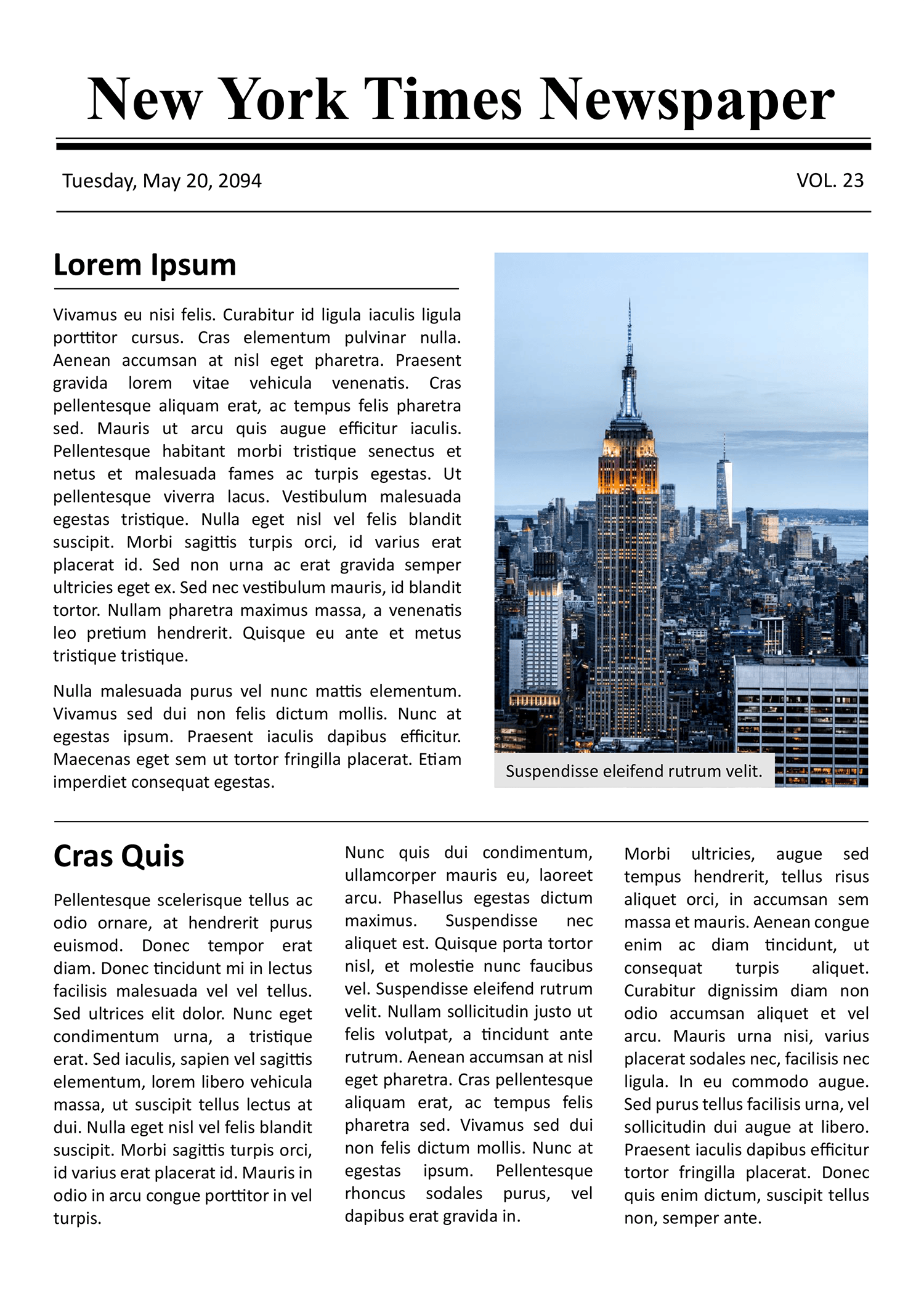


A newspaper page is one of the most familiar layouts there is, which is part of why it works so well as a frame for something personal. Put an engagement, a school project, or a company milestone into a masthead-and-columns design and it reads as news, formal and worth keeping. The look comes from a few fixed conventions, a large nameplate across the top, a dateline under it, a dominant headline, and body text set in narrow columns, and a template fixes those in place so the page reads as a real front page rather than a poster pretending to be one.
These newspaper templates put that format to work for the projects people make them for, wedding and engagement announcements, bridesmaid proposals, school and class papers, business notices, and event keepsakes. The front-page designs lead with a headline and a hero photo for a single big story, while the fuller layouts add inside-page columns, sub-headlines, captions, and sidebars for a paper with several pieces. They come in the standard print sizes, the tall broadsheet a traditional paper uses, the smaller tabloid, and A3, so you can match the page to how it will be printed or shared. Choose the size and style, replace the placeholder headlines and stories with your own, and the result looks the part.
Worth knowing: Body text on a newspaper page is set in columns, not full-width lines, because a narrower measure is faster for the eye to read down. Keeping your text in the column structure the design sets out is most of what makes a page read as a real newspaper rather than a flyer.
Parts of a newspaper page
The conventions that make a page read as news, and what varies across sizes.
The large nameplate across the top that names the paper, the single element that signals newspaper before anything else is read.
A strip under the masthead carrying the date, and on classic designs a volume number and price, the line that dates the issue.
Set over the lead story as the dominant line, sized to pull the eye first and tell a reader what the page is about at a glance.
Body text set in narrow vertical columns rather than full-width lines, the structure that makes the page read as a real paper.
Image areas with a caption line beneath, for the hero shot on a front page or the smaller pictures on an inside spread.
The lead layout built around one big story, a masthead, a headline, and a hero photo, built around a single announcement.
Fuller layouts with several stories, sub-headlines, and sidebars, for a paper that extends past a single front sheet.
Boxed columns set apart from the main story for a short related piece, a quote, or an advertisement, common on a fuller inside page.
Broadsheet, tabloid, and A3 versions, so the page matches the dimensions you intend to print it at or share it in.
Building your newspaper
From the right size to a page that reads like the real thing.
Start from the format that fits the project, a tall broadsheet for a traditional feel, a tabloid for something handier, or A3 for a print-and-frame keepsake. The size sets how much room the page has before you write a word.
Pick a front-page design for a single announcement or a multi-page layout if you have several stories. A bridesmaid proposal needs one front page; a class yearbook paper wants the inside spreads.
Set the paper's name in the nameplate and the date in the line below. This is the part that makes the page read as a specific issue rather than a generic layout, so make the name suit the occasion.
Replace the lead headline with yours, kept short and bold the way a real one is. The headline does the work of pulling a reader in, so let it state the news plainly rather than tease it.
Tip — A real headline does not need to be a full sentence; trim yours to the fewest strong words that still say what happened.
Write your story into the column structure rather than across the full width. Keeping the text in columns, with sub-headlines on a longer piece, is what keeps the newspaper look together.
Drop your hero image into the front-page spot and any smaller pictures into the inside frames, each with a caption. A captioned photo reads as reporting; an uncaptioned one reads as decoration.
FAQs
What sizes and column options do these come in?
The designs come in the standard newspaper sizes, broadsheet, tabloid, and A3, and the body text is set in columns the way a real paper is. Front-page designs usually set a few columns under the lead story, while fuller layouts add more columns and sidebars across inside pages.
What is the difference between broadsheet and tabloid?
Broadsheet is the tall, large format of a traditional newspaper, with room for several stories on one page. Tabloid is roughly half that height and easier to hold, leading with one or two stories. The choice is about how much you want on a page and how the finished piece will be held or framed.
How are front pages and inside pages formatted differently?
A front page is built around one big story, with a large masthead, a dominant headline, and a hero photo built around a single announcement. Inside pages drop the full masthead and set several shorter stories with sub-headlines, more columns, captions, and sidebars, the way a real paper fills its later pages.
Can I use these for personal and commercial projects?
Yes, the designs work for both. A personal keepsake like an engagement announcement, a business notice, and a school paper are all built the same way here. Set your own masthead, headlines, and stories, and the page fits the project you are using it for.