
Calendar Templates
A calendar puts the month in front of you as a dated grid, so a date and what falls on it are in the same place rather than held in your head. These calendar templates give you that view to fill and print, a blank month to write into, a birthday calendar that repeats year to year, a weekly chart for the days at hand. Set the month, mark what lands where, and the page does the remembering for you. Pick the one that matches how you want to see your time.










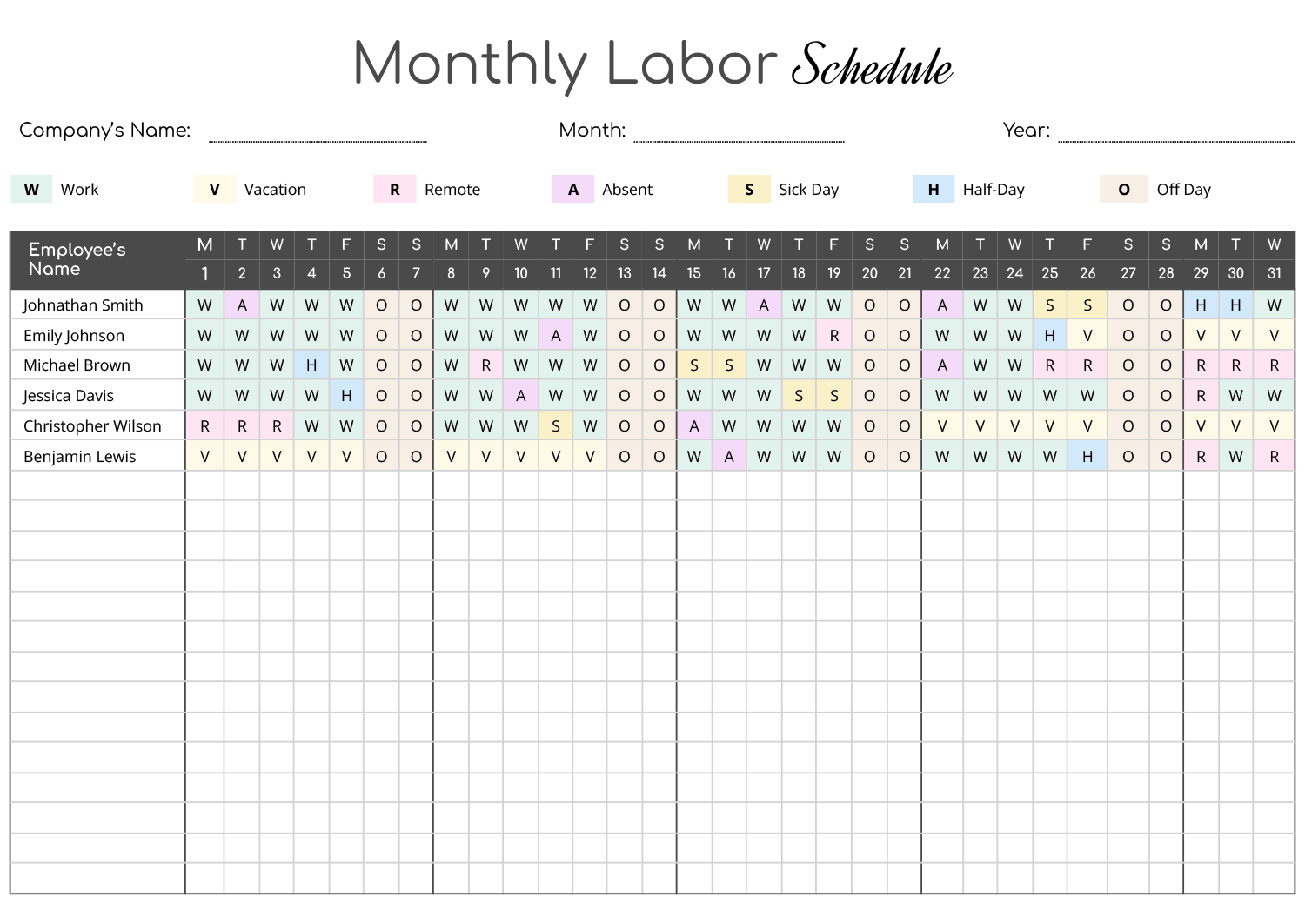


Seeing a whole month at once changes how you plan it. A date written into the month lands beside the dates around it, so a clash, a free week, or a run of busy days is visible before it arrives, in a way a running list never quite shows. That is the use of a printed calendar, it turns time into something you can look at and point to rather than something you keep track of in your head.
What you want to see decides which calendar fits. A blank month is the workhorse, dated rows of weeks you fill for any purpose and reprint each month. A birthday calendar drops the year so the same page works every year, holding recurring dates rather than a single month’s plans. A weekly grid zooms in on the seven days in front of you when the month view is too coarse. These calendar templates cover that range, so you plan at the scale the task actually needs and keep the page where you will see it.
What's on a calendar template
The parts that make up the page, from the dated grid to the space around it.
Open fields for the month and year, so one template prints for any month rather than locking you to a fixed one. A birthday calendar leaves the year off to repeat annually.
Rows of weeks with a cell per day, the core of the calendar, sized to give each date room to write a note or two without crowding.
The days of the week across the top, set to start on Sunday or Monday depending on the template, so the columns of days read the way you are used to scanning them.
Extra panels some calendars pair with the dated cells, a to-do or priority list, a chore breakdown by day, a shift key, so the tasks tied to the month sit beside the dates instead of on a separate page.
Room below or beside the month for anything with no single date, a goal for the month, a standing reminder, a list that spans the weeks.
On color-coded layouts, a small key that says what a color or mark means, so a glance at the page tells you who or what each entry is for.
Filling in a calendar template
From a blank month to a calendar you can pin up and work from.
Enter the month and year, then check the first day lands under the right weekday. A month that starts on a Wednesday shifts every date after it, so getting day one right keeps the whole grid honest.
Write in the things that cannot move, appointments, deadlines, birthdays, before anything flexible. Fixed dates claim their cells so you plan the rest of the month around them.
Drop in what repeats, a weekly class, a bill date, trash day, so the rhythm of the month is on the page and not relearned each week.
Put the month's goals, tasks, or top priorities in the to-do or notes column. It keeps the things with no exact date from getting lost between the dated cells.
Tip — If more than one person uses the calendar, give each a color and note it in the key. A shared month is far easier to read when a glance tells you whose entry is whose.
A calendar earns its keep on the fridge, the wall, or the desk, somewhere you pass it. A month filled in and then filed away does none of the remembering it was meant to.
Reprint the blank for the next month rather than erasing the last one, so you keep a record of what happened and a clean grid for what is coming.
FAQs
Do these calendars work for any month or year?
Yes. The month and year are open fields, so you set them and arrange the first day under the correct weekday. One blank template prints for January as easily as for July, which is why a single calendar covers the whole year rather than needing a separate page bought per month.
What is the difference between a calendar and a schedule?
A calendar shows dates, the month laid out as cells you mark events onto. A schedule shows time within a day or shift. If you want to see what falls on the fifteenth, you want a calendar; if you want to block an afternoon by the hour, that is a schedule. These are the dated month and week views.
How does the birthday calendar repeat each year?
It leaves the year off and lists the months with space to write names under each. Since birthdays fall on the same date every year, you fill it in once and reuse the same page, rather than copying the dates into a new calendar each January.
Can more than one person share a calendar?
Yes, and the color-coded layouts are built for it. Give each person a color, note it in the key, and a single month grid can hold a whole household or team without the entries blurring together. The weekly chore chart works the same way for dividing tasks by day.