
Price List Templates
A price list is often the first thing a customer reads closely, and a clear one answers the question they came with before they have to ask. These price list templates group what you sell and set a price against each line, so a customer can scan from service to cost without working for it. Add your items, set the prices, and you have a tidy reference to hand over, post, or send.





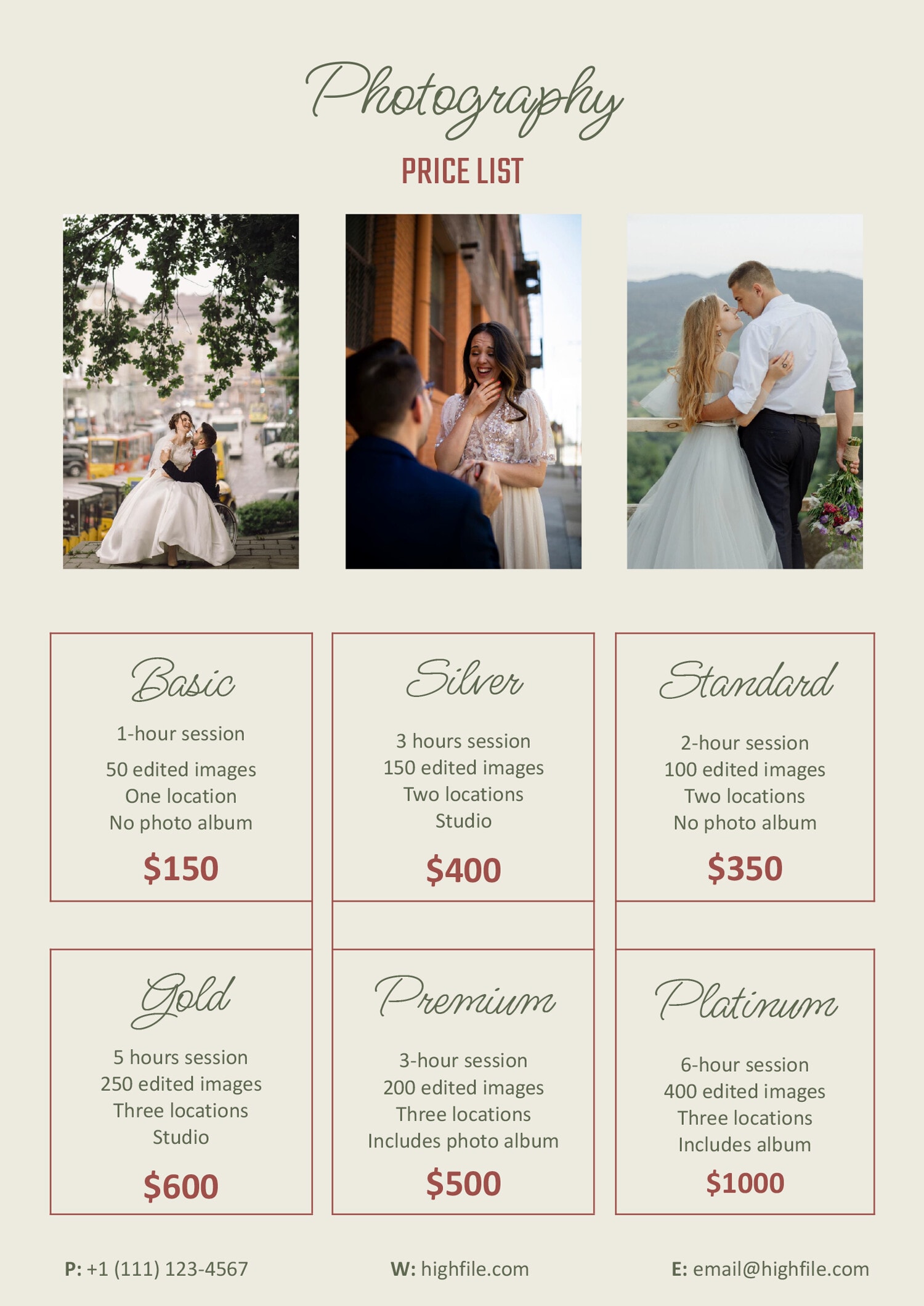







A price list does one job and has to do it well. It tells a customer what something costs without making them hunt or ask. How the prices are arranged decides if that happens. A flat run of items with numbers beside them works for a short menu, but once a business sells more than a handful of things, grouping them into sections is what keeps the page readable. These price list templates are built around that grouping, so related items sit together under a heading and a customer’s eye lands where it expects to.
The samples lean toward service businesses, a salon’s cuts and colors, a detailer’s exterior and interior packages, a cleaner’s room rates, because services are where clear pricing matters most and a vague quote loses trust fastest. The same shape fits a product shop, a freelancer’s rate sheet, or a venue’s packages just as well. A blank layout is there for building one from scratch, and a spreadsheet version handles per-unit and bulk pricing where a shop needs both. You pick the version that matches how much you sell and how you group it.
Worth knowing: The clearest price lists tell a customer what is and is not included before they ask. A line that reads "Full detail, interior and exterior, $120" prevents the awkward follow-up that a bare "Full detail, $120" invites, so spend a few words on what each price covers.
What's on a price list
The parts that turn a set of prices into something a customer can read.
Your name, logo, and contact at the top, so a price list that gets shared or printed still points back to you.
Sections that group related items, like a salon's cuts apart from its color work, so a customer finds a price by scanning headings rather than the whole page.
Each product or service named, with a short line on what it covers where the name alone leaves room for doubt.
The cost set against each line, the number the whole document exists to deliver, kept aligned so the column reads cleanly top to bottom.
On the spreadsheet layout, a per-unit price beside a bulk price, for a shop that quotes both rather than one flat rate.
An optional reference beside each item, so a product list doubles as something staff can match to stock or an order.
Putting your price list together
From a list of what you sell to a page a customer can read at a glance.
List every product or service and the price you charge before building the page. Building the page is quick; deciding the prices and what each one includes is the real work.
Sort the items into a few clear categories a customer would expect, like exterior and interior for a detailer. Grouping is what lets someone find a price without reading the whole page.
Tip — Order the sections the way a customer decides, putting the service most people come for first, rather than alphabetically or by what is easiest for you to list.
Put the cost against each line and keep the numbers in a single aligned column. A price that drifts out of line is the one a reader misreads or skips.
Add a short description where a name leaves a question. Naming what a package covers heads off the back-and-forth that an unexplained price invites.
Put your name, logo, and contact at the top and match the fonts and colors to the rest of your business, so a forwarded or printed copy still reads as yours.
Keep one copy sized for print at the counter and one to send or post online. Dating the file is worth doing, since a price list goes out of date the moment a rate changes.
FAQs
How should I organize a price list with a lot of items?
Group them into sections a customer would recognize, then order the sections by what people come for most. A salon splits cuts from color and treatments; a detailer splits exterior from interior packages. Grouping is what keeps a long list readable, since it lets someone jump to the part they want instead of reading every line.
Should I include a description with each price?
Add one wherever the name leaves a question. “Deluxe package” tells a customer nothing on its own, so a short line on what it covers prevents the follow-up question and the misunderstanding that follows a bare number. Items whose names are self-explanatory can stand without a description.
Which layout handles per-unit and bulk pricing?
The spreadsheet version has separate retail and bulk columns, so a shop selling by the unit and by volume can show both against one item. The document layouts suit a single price per line, which fits most service menus where there is one rate for the job.
Can I use one price list for print and online?
Yes, and it is worth keeping a copy shaped for each. A print version stays at the counter or goes in a folder; a digital one posts to your site or sends to a customer. Dating both is worth doing, because the moment a price changes an old copy in circulation starts working against you.