
Hourly Schedule Templates
When a shift has to be covered straight through or a day is booked back to back, a rough plan will not hold; every hour needs naming. Hourly schedule templates give each hour its own line, turning a vague stretch into a clear run of filled slots. Between them they handle the common spans, an eight-hour day, a twelve-hour shift, a seven-day roster, some for one person’s day and some for a whole team’s week.



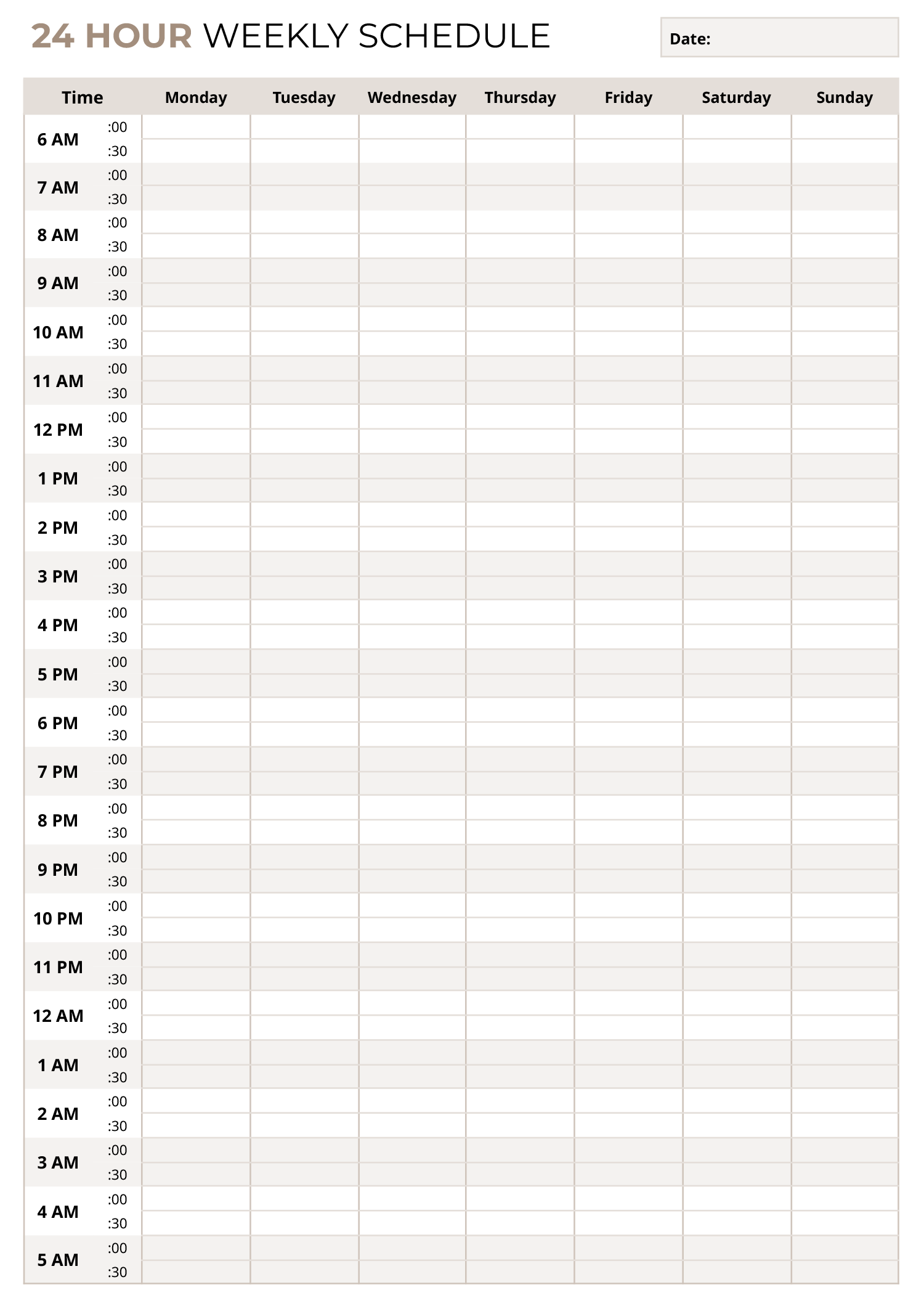


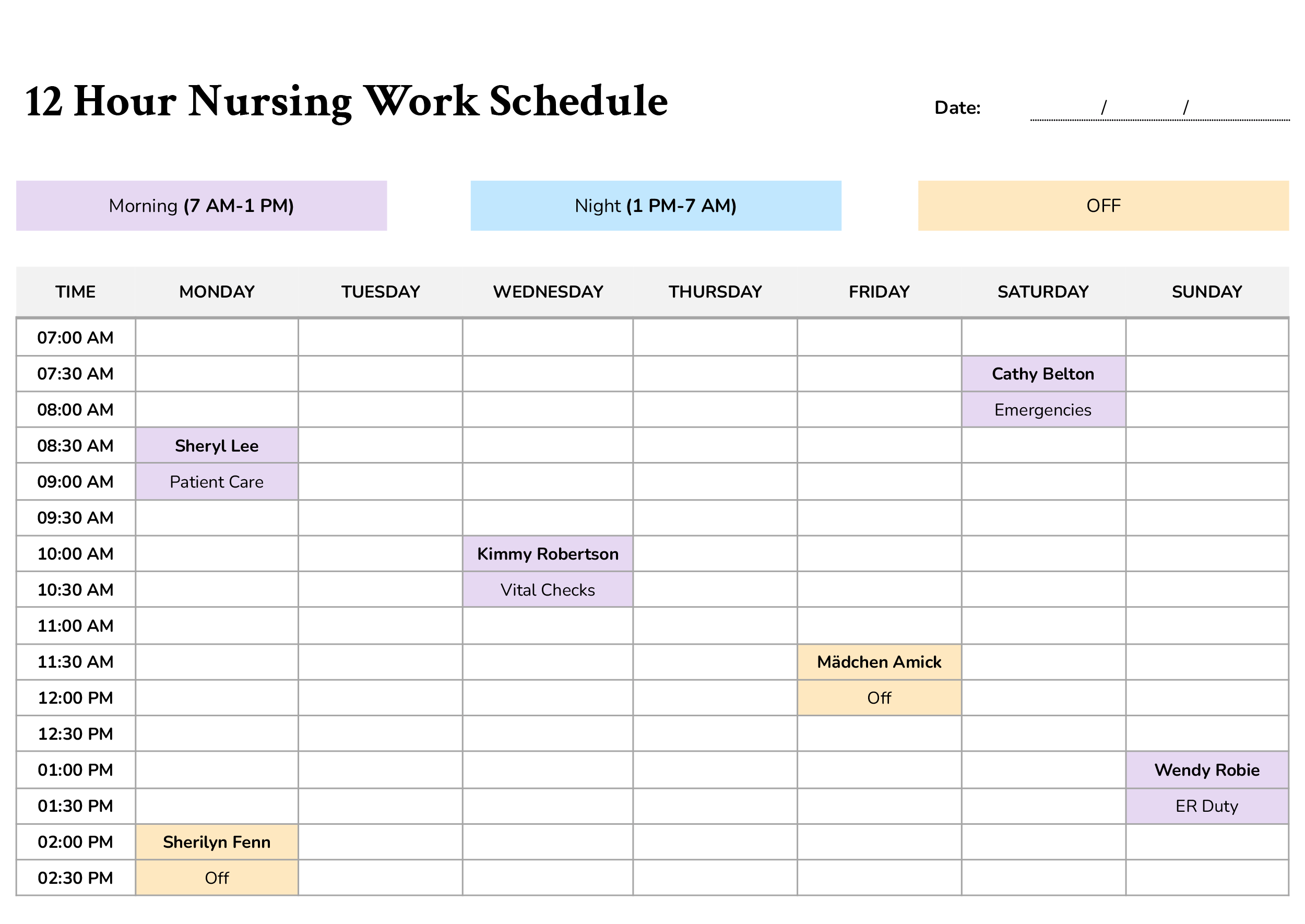


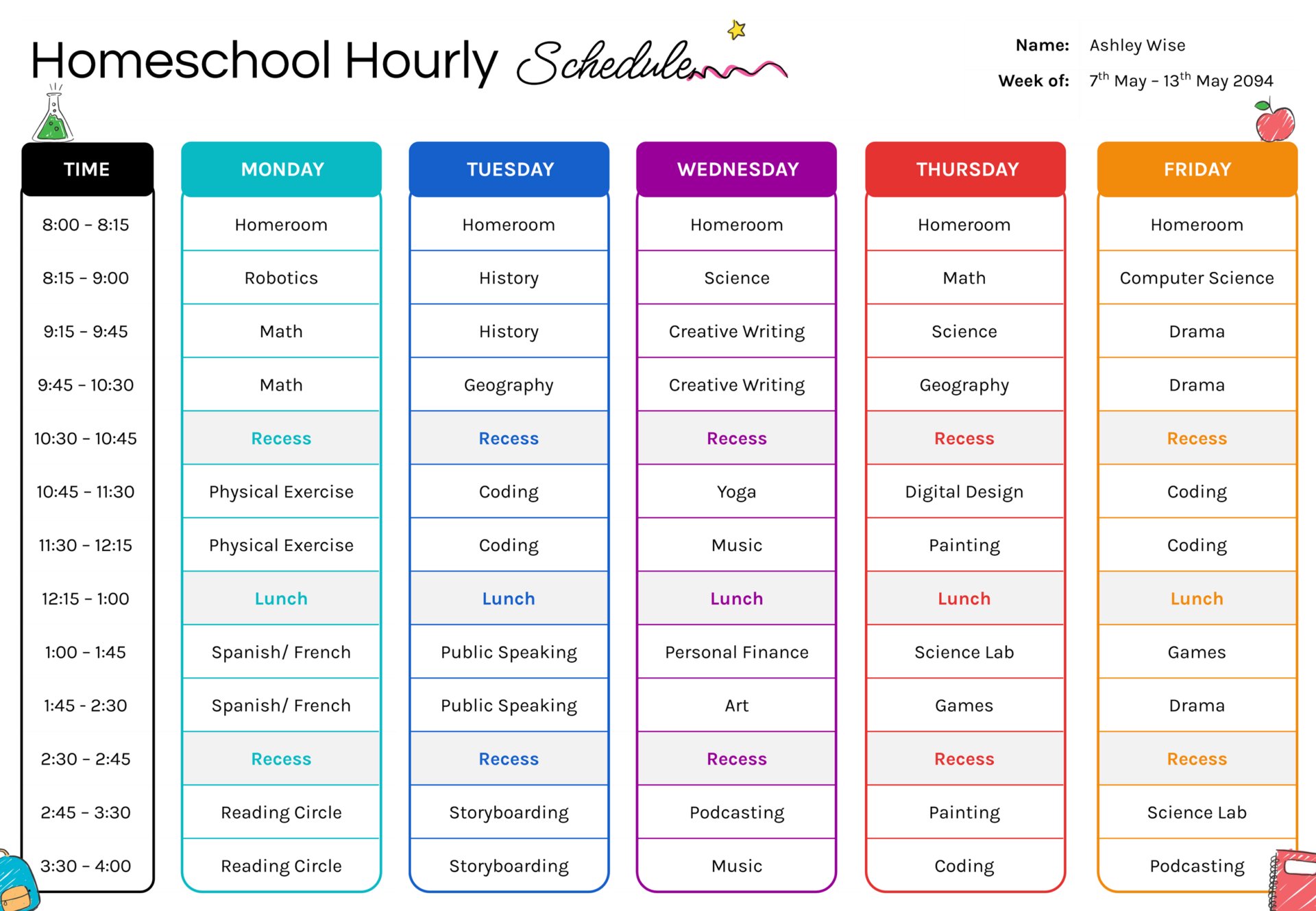




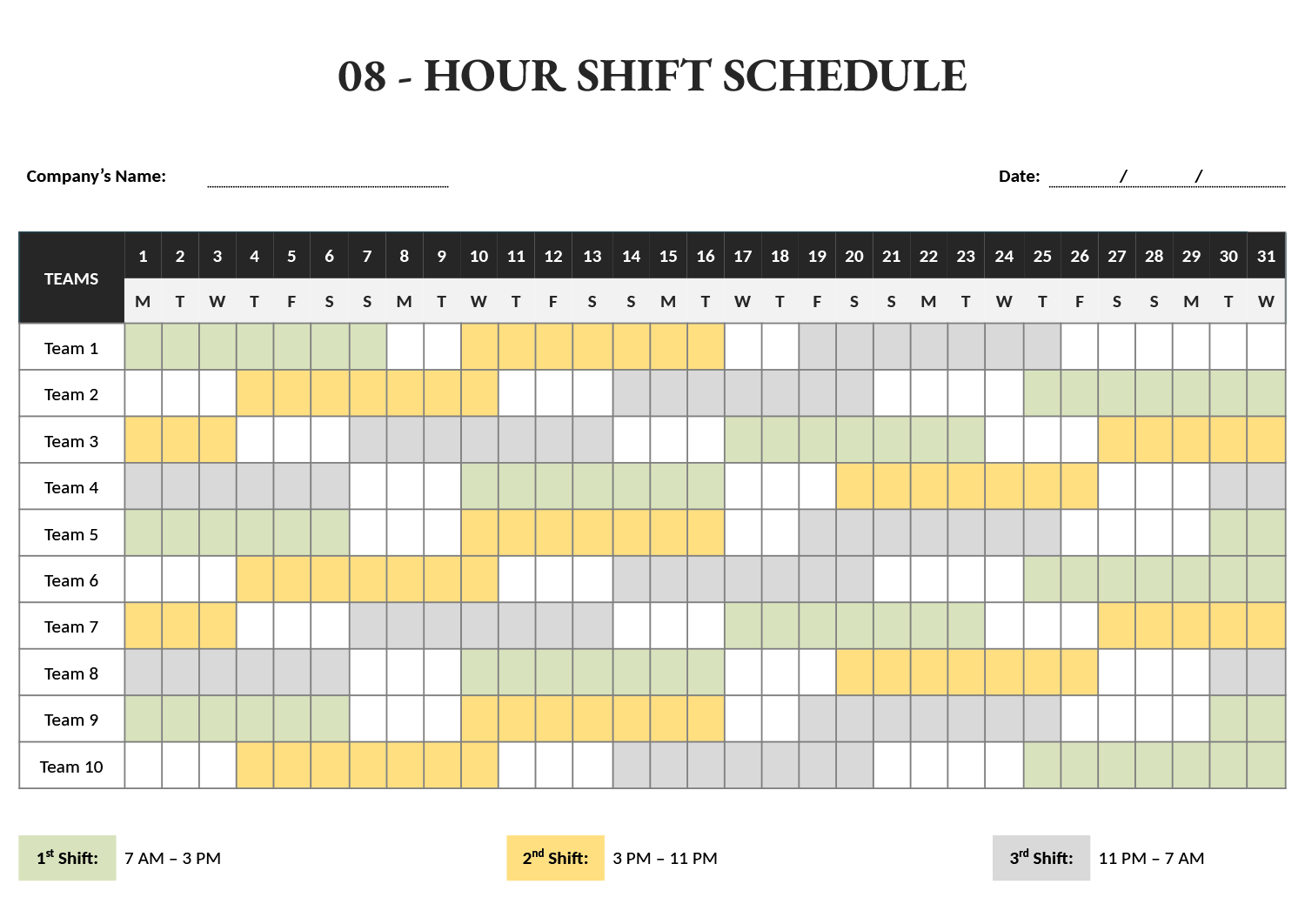

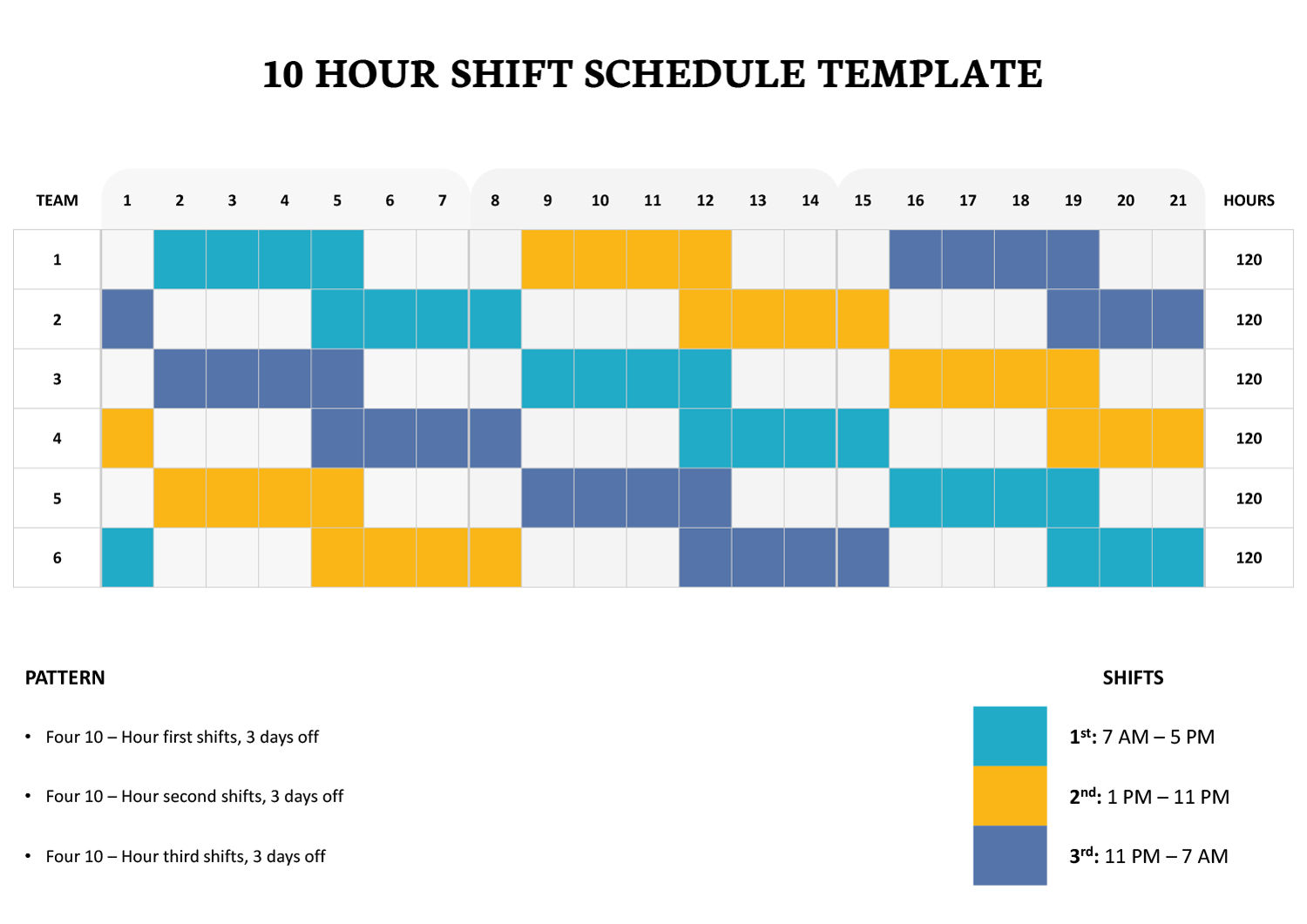


These hourly schedule templates break a day or a shift into clear time slots, a line for each hour, so a twelve-hour shift, a back-to-back workday, or a tightly run roster reads as a sequence of filled hours rather than a vague stretch. Each slot takes one assignment, a task, a shift, or a person, which is what answers not just what happens today but what happens at two, at three, at four.
The span a schedule has to cover changes with the work, so the collection covers different shift lengths, from an eight-hour day to a twelve-hour shift to a seven-day roster broken into hourly slots. Some are built for one person’s day; others run the same hour grid across a whole team’s week. You set the span and the start time so the rows read in the real hours people work, assign each slot, and read the filled grid straight through to check no hour is empty or double-booked.
The pieces of an hourly schedule
The parts that turn a day into a clear run of hours.
The day broken into hourly or half-hourly lines, the spine of every design here, so each slot takes one clear assignment.
A set start and end that frames the block being scheduled, an eight or twelve-hour shift, so the rows cover exactly the hours worked.
Side-by-side days for a roster that runs the same hourly grid across a week, so a seven-day pattern reads across the page.
Cells for naming who is on or what happens in each hour, the detail that turns a blank grid into an actual plan.
Filling in the hours
From a blank day to one mapped hour by hour.
Set the hours the schedule covers, eight, twelve, or a full day, so the rows match the work rather than leaving empty hours top and bottom.
Mark when the block begins, since an early shift and a night shift fill the same rows with different clock hours. The hours should read in the real times people work.
Write the task, shift, or person into each slot. For a roster, work down a day to check it is covered, then across to compare days.
Tip — Mark breaks and handovers as their own slots rather than leaving them blank, so a gap reads as planned rather than as an hour nobody owns.
Read the filled day straight through for unexplained gaps or a double-booked hour, then post it or hand it to whoever works the hours.
FAQs
What shift lengths do these templates cover?
The collection includes common spans, eight-hour and twelve-hour shifts among them, as both single-day grids and seven-day rosters. You set the start time, so the same layout works for a morning, evening, or overnight block.
Can an hourly template cover a whole week?
Yes. The layouts with day columns run the hourly grid across all seven days, so a week of shifts reads across the page and you can check each day is covered without flipping between separate sheets.
How do I show breaks in an hourly schedule?
Give the break its own slot rather than leaving the hour blank. A marked break reads as intended, while an empty cell looks like an hour nobody has been assigned to, which is easy to misread on a busy grid.