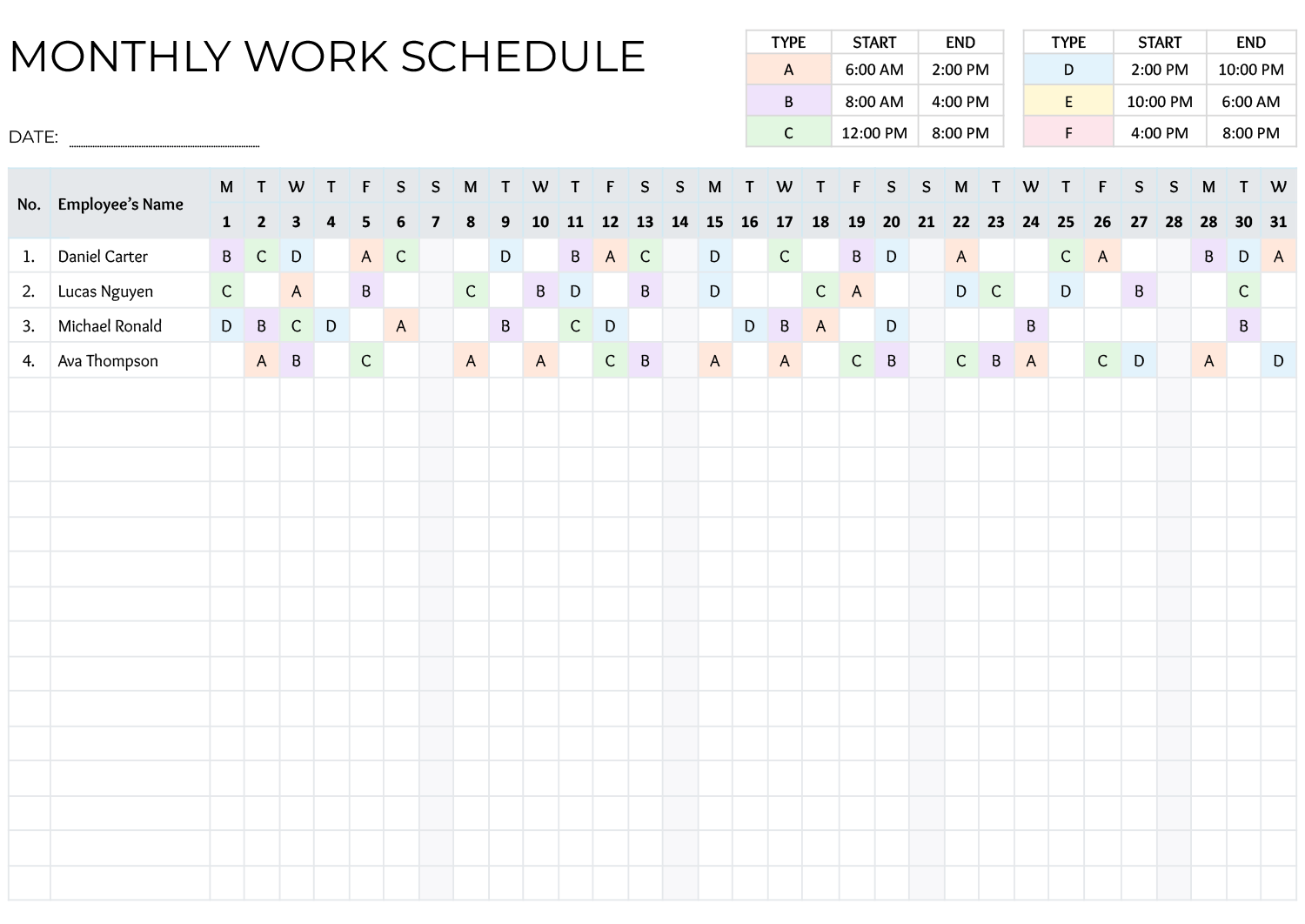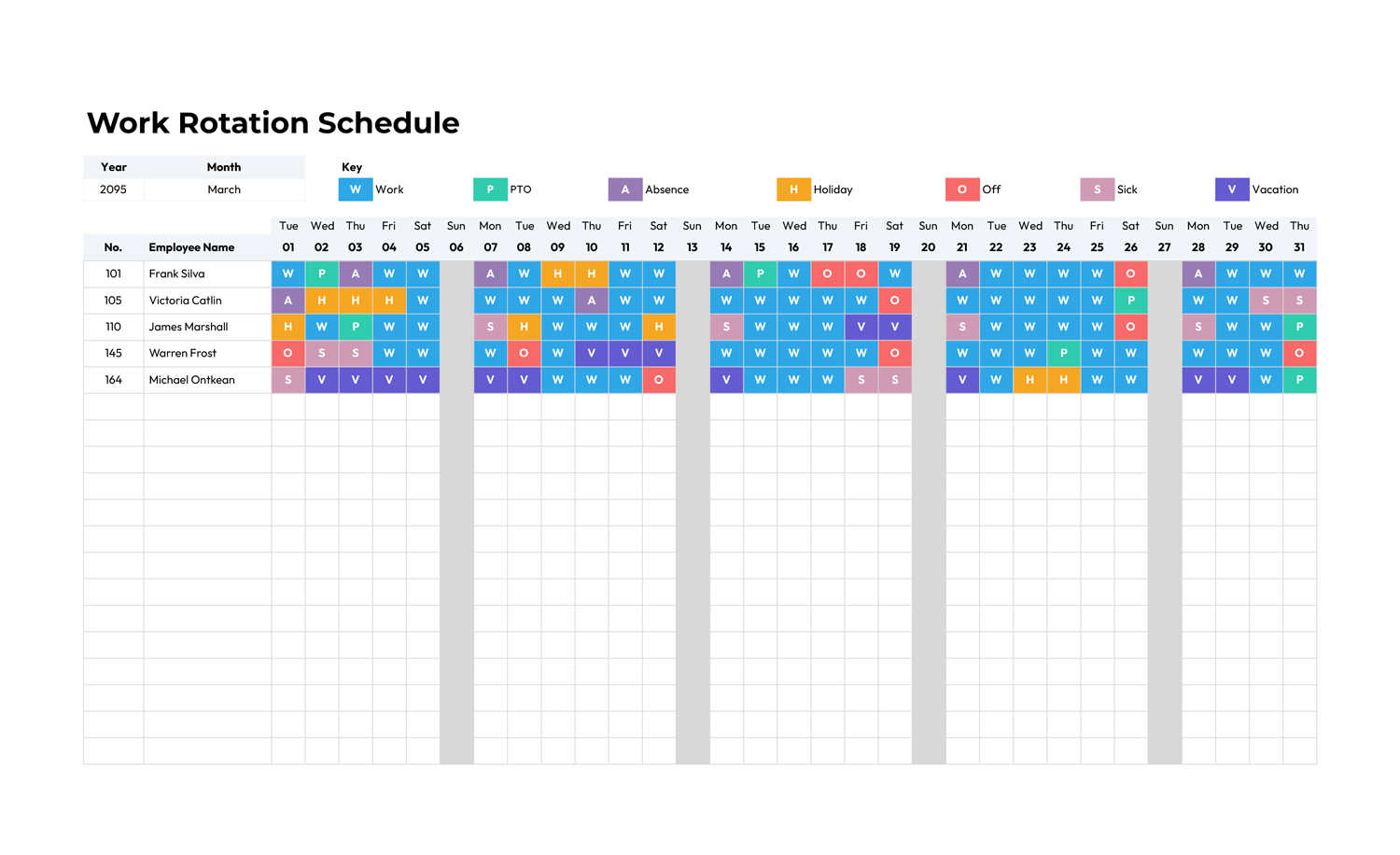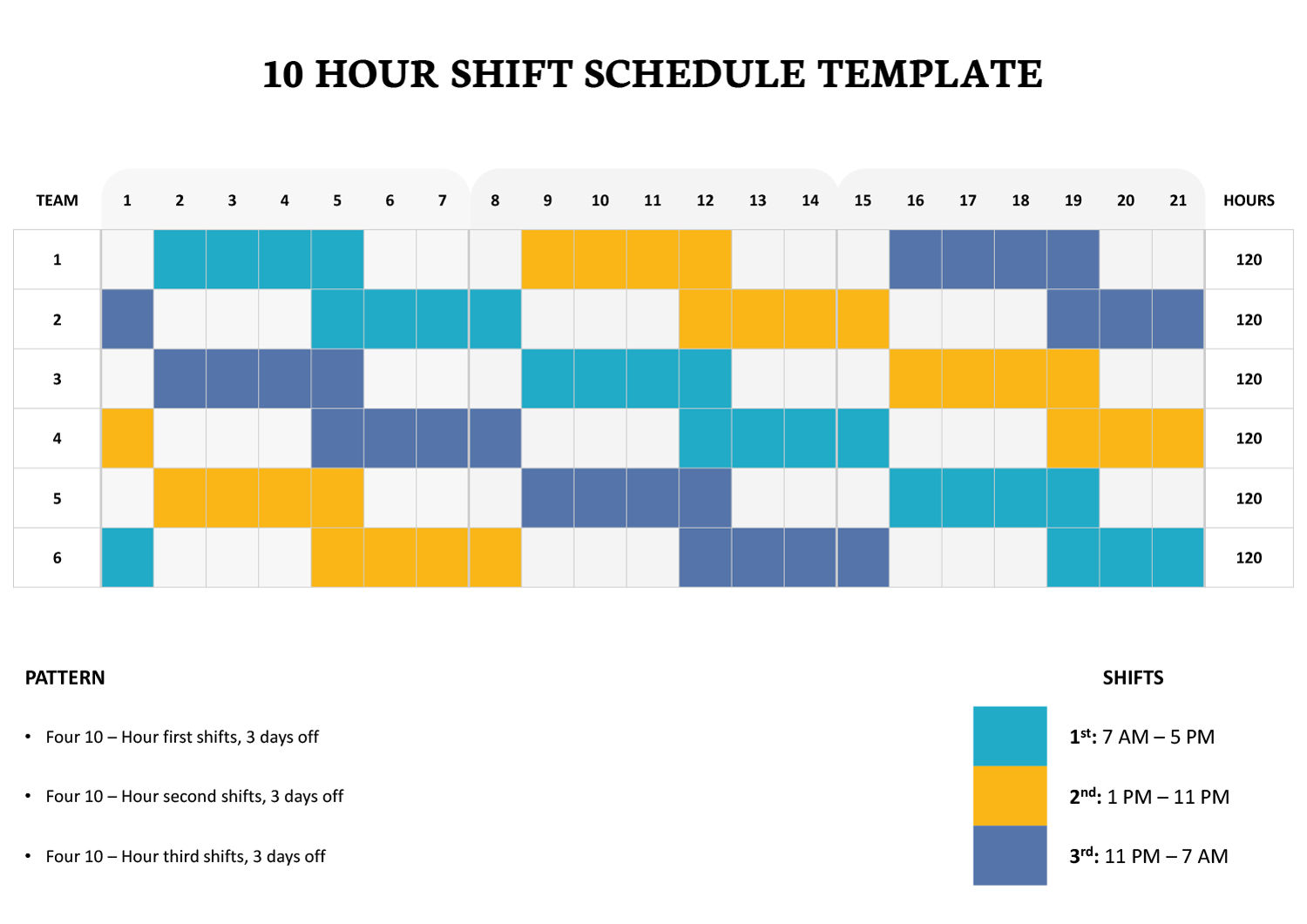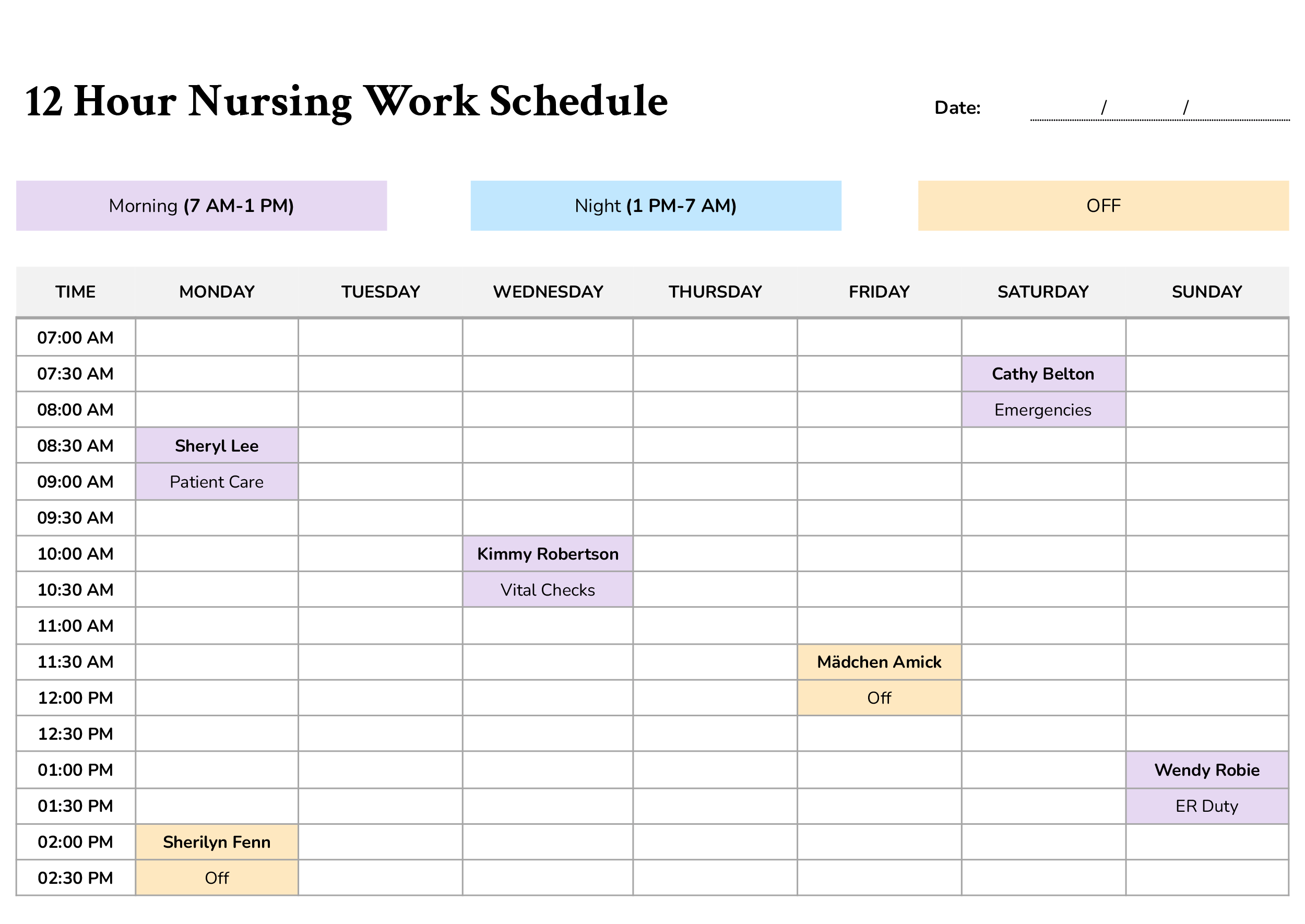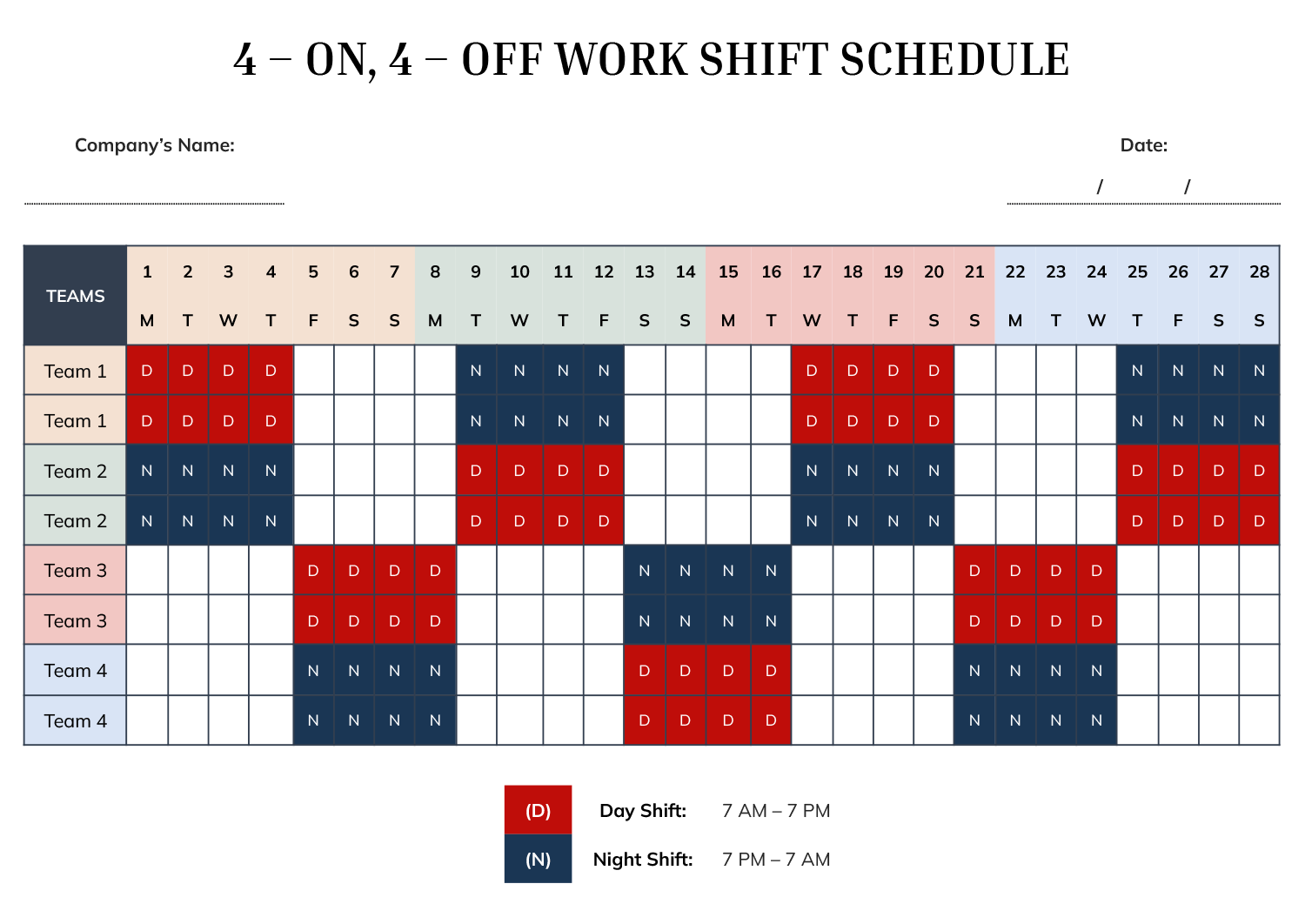



A 4-on, 4-off shift pattern is commonly used in workplaces that operate continuously and require balanced coverage across day and night hours. This work shift schedule template is designed to visually organize that rotation in a way that is easy to review, update, and share. It presents four consecutive working days followed by four consecutive rest days, with clear separation between day shifts and night shifts.
This schedule template is intended for operations that manage teams rather than individual employees. It works especially well for manufacturing plants, healthcare facilities, security teams, utilities, call centers, and any environment where round-the-clock staffing is required. Managers, supervisors, and HR teams can use it to plan coverage in advance while giving employees a predictable pattern of work and rest.
Dates are shown across the top of the table, with teams listed down the left side, so each team’s working days, rest days, and day or night assignments are easy to review. Day shifts and night shifts are marked with simple letter indicators to keep the schedule readable even when viewing an entire month at once.
How the 4-On, 4-Off Rotation Is Represented
This schedule uses a repeating sequence that alternates between four day shifts and four night shifts, with rest periods built directly into the rotation. Instead of relying on formulas or hidden logic, the pattern is displayed directly in the grid. This approach makes it easier to review coverage visually and spot gaps or overlaps before publishing the schedule.
Shift labels use short markers to reduce clutter while still clearly indicating whether a team is assigned to day or night hours. A legend below the table explains the shift timing so the schedule remains self-explanatory when printed or shared digitally.
Because the pattern repeats every eight days, the layout extends across the full date range without breaking the sequence. This makes it easier to continue the same schedule into the following month without redesigning the entire table.
Using the Template in Daily Scheduling
Using this template starts with entering the company name and schedule date at the top. Teams are then assigned to the rows, keeping each group consistent throughout the schedule. Once teams are aligned with their starting positions, the rotation follows naturally across the dates shown.
This format supports advance planning. You can review upcoming rest days, anticipate night-shift transitions, and confirm that workload is evenly distributed across teams. The grid layout also supports quick reference during daily operations, especially in environments where supervisors need to confirm coverage at a glance.
If shift times differ from the default day and night hours shown, the legend can be adjusted to reflect your organization’s timing while keeping the same visual structure.
Why This Schedule Format Is Useful
A 4-on, 4-off pattern is often chosen to reduce fatigue while still maintaining consistent coverage. This template reflects that balance by keeping work blocks and rest blocks clearly separated. Employees can easily see when extended time off occurs, while managers can verify that no team is overloaded with consecutive shifts.
The table-based layout is particularly useful for teams that rotate between day and night work. By presenting the full cycle in one view, it becomes easier to explain the schedule during onboarding or team briefings and reduce confusion around shift changes.
FAQs
Yes. While the example template shows four primary team rotations, additional team rows can be added if your operation requires more groups. The same rotation logic can be extended without changing how the schedule is read.
Yes. The shift timing is explained in a legend beneath the schedule. You can update those times to match your organization’s working hours while keeping the same shift labels.
Yes. The date range across the top is designed to cover a full planning period. Because the rotation is continuous, it can be carried forward into the next month without resetting the pattern.
Yes. The layout is designed to be readable when printed or shared digitally. Employees can quickly identify their working days, rest days, and whether they are assigned to day or night shifts.