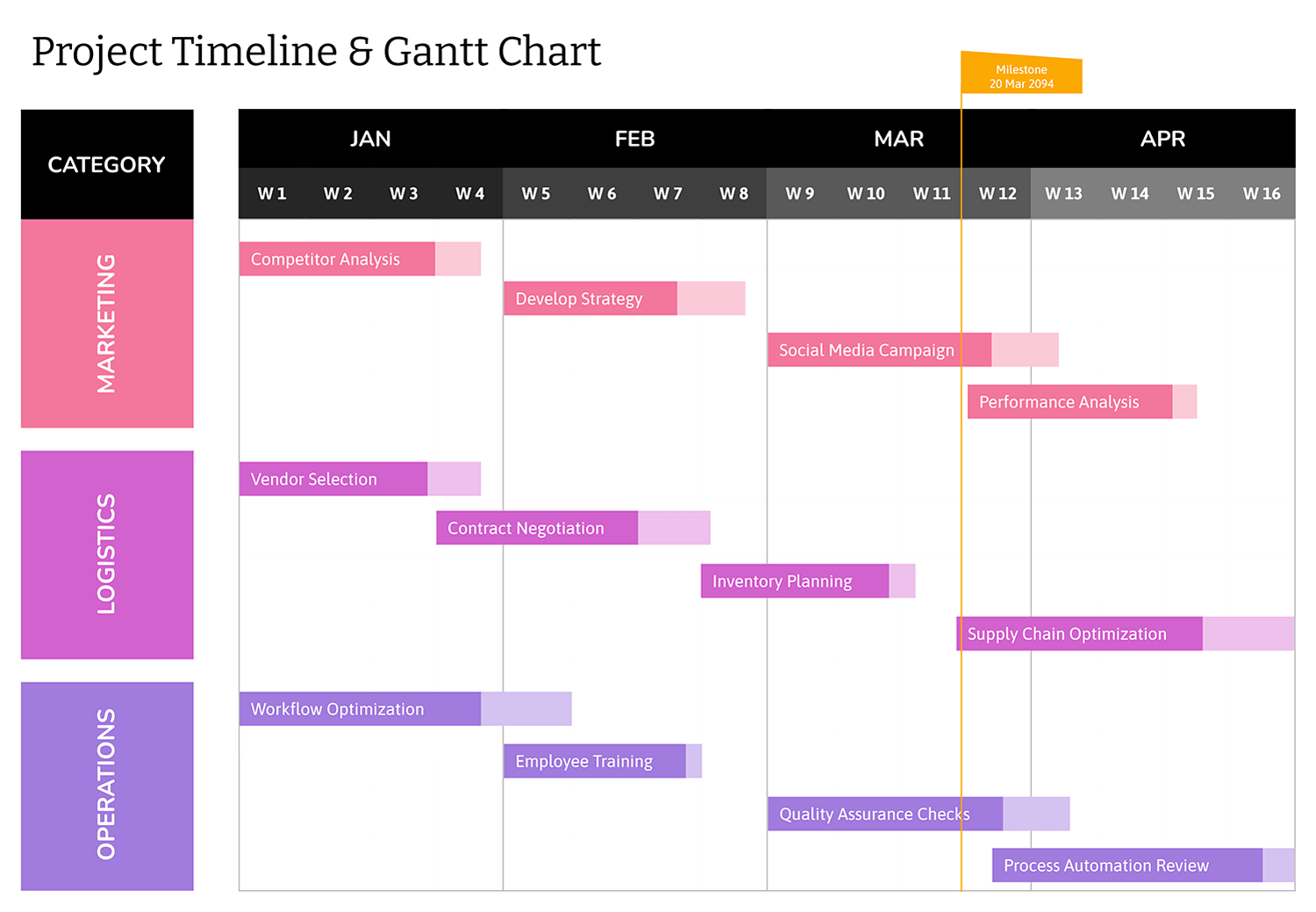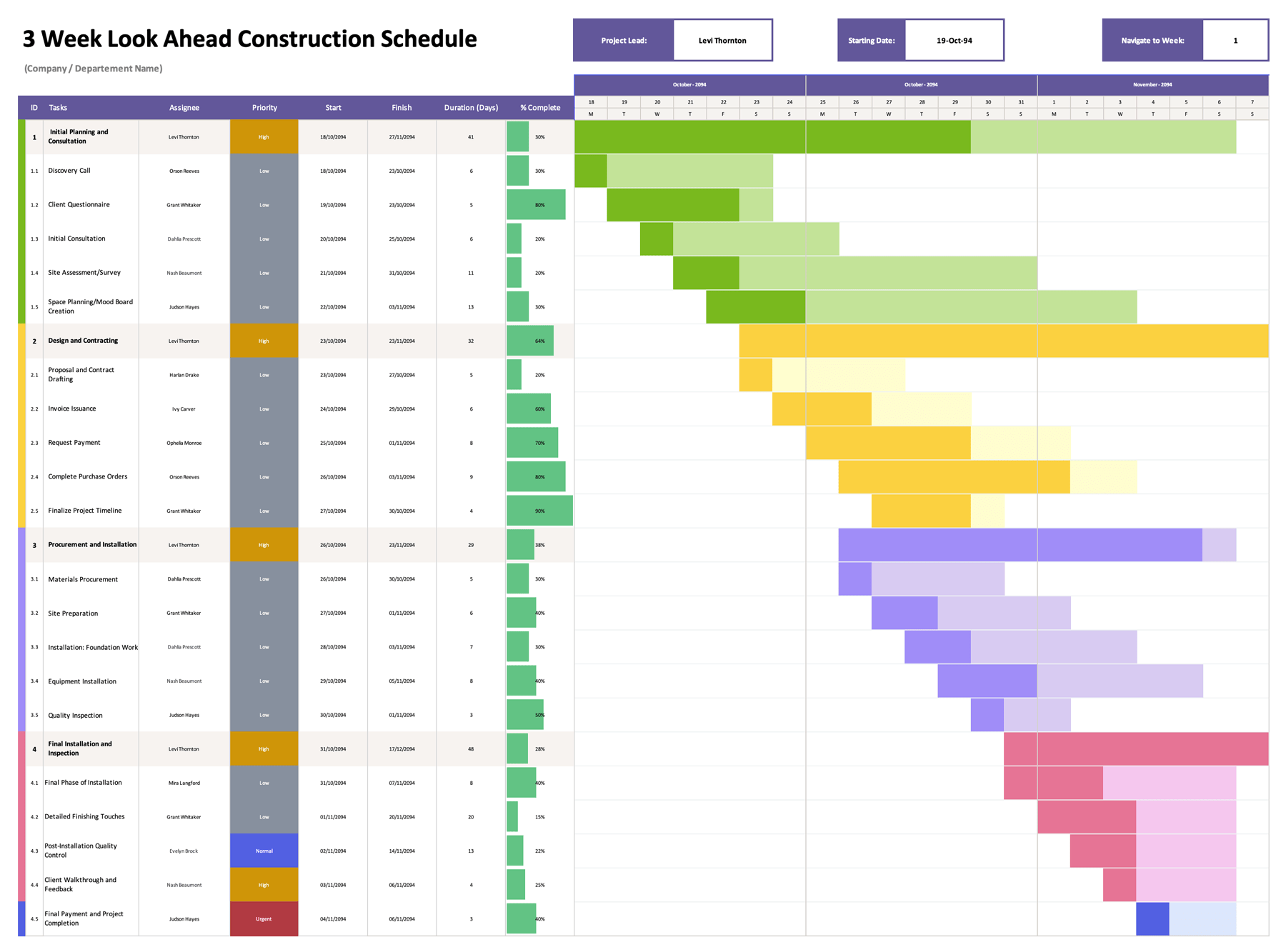
Long projects need a timeline that stays readable after the first round of changes. This 3 year Gantt chart template is designed to plan and present work across 36 months using a monthly chart that updates from your task dates. It gives you a dependable planning view for multi-phase work, so you can review timing, overlaps, and long lead items without redrawing bars or rebuilding a schedule for every update.
The template fits projects that extend across quarters and years and still need a simple review format for teams and stakeholders. It can be used for construction and facility programs, product planning, operations rollouts, multi-site implementations, grant timelines, and long-range content or marketing schedules where a month-based view communicates the plan better than a day-level tracker.
How to Use This Gantt Chart Template
Start by deciding what you want the chart to communicate. For a three-year timeline, task names should stay brief and dates should reflect the window where work is active, not every small activity inside that window. Once that is set, you can fill the sheet in a few passes.
Set the start date for your 36-month timeline
Enter your preferred start date in the Start Date field at the top of the sheet. The month row across the chart updates based on that date and continues for three years.
Rename projects and tasks to match your plan
Replace the placeholder project names and task titles with your own. Use the project rows as headings for each workstream, then list the tasks under that project in the order you expect them to happen. For long timelines, it usually reads better when tasks represent phases, deliverables, or major work packages, not every small action item.
Enter each task’s start and end dates
Fill the Start Date and End Date columns for each task row. Once both dates are entered, the month cells in the chart area mark the months that overlap the task’s date range. A task that starts late in a month or ends early in a month still marks that month because the work touches that period.
Use “# of Days” to sanity-check duration
Review the “# of Days” column to confirm duration is in the expected range. The sheet uses a workday count, which makes the number more useful for staffing and effort planning than calendar days.
Review the project-level rollup bars
Each project row pulls its overall date span from the tasks under it. That means the project-level dates and the longer bar reflect the earliest task start and the latest task end. This is useful when you want a quick read on how long a workstream stays active without scanning every task line.
Update dates as plans change
When a task moves, update its start and end dates. The marked months update automatically, so you can shift phases, extend a window, or compress a timeline without redrawing bars.
Add more tasks or projects without breaking the chart
If you need more rows, copy an existing task row inside the same project section so the month formulas carry over. After adding rows, extend the conditional formatting range so the new rows display the same bar behavior and color style.
Managing a 3-Year Project Timeline
For multi-year schedules, clarity usually comes from how you group work. If one task spans most of a year, consider splitting it into meaningful phases like planning, procurement, build, testing, and launch so the chart communicates progression. If you need a milestone, you can represent it as a short task with the same start and end date so it shows as a small marked window on the monthly timeline.
If you plan across multiple teams, keep dependencies visible by aligning phase transitions. For example, if testing cannot begin until procurement finishes, the handoff becomes easy to spot when the phase bars meet at the right month boundary.
Sum-Up
This 3 year Gantt chart template is designed for planning across 36 months with a month-level timeline that updates from the schedule dates. It supports phase-based planning, project rollups, and long-range timeline reviews across quarters, so changes in timing are reflected directly on the chart. The same layout also works well for recurring status reviews and reporting throughout a multi-year program. The template is available in Excel and Google Sheets.