
Employee Schedule Templates
A staff schedule has to satisfy two readers at once, the person checking their own shifts and the manager checking the whole week is covered. Employee schedule templates serve both, with names down one side and time across the other, so a thin afternoon or a clash with someone’s day off shows before the rota goes up. These run from a single day in detail to a full seven-day roster, fitting a shop floor, a daycare’s ratios, or a round-the-clock operation.







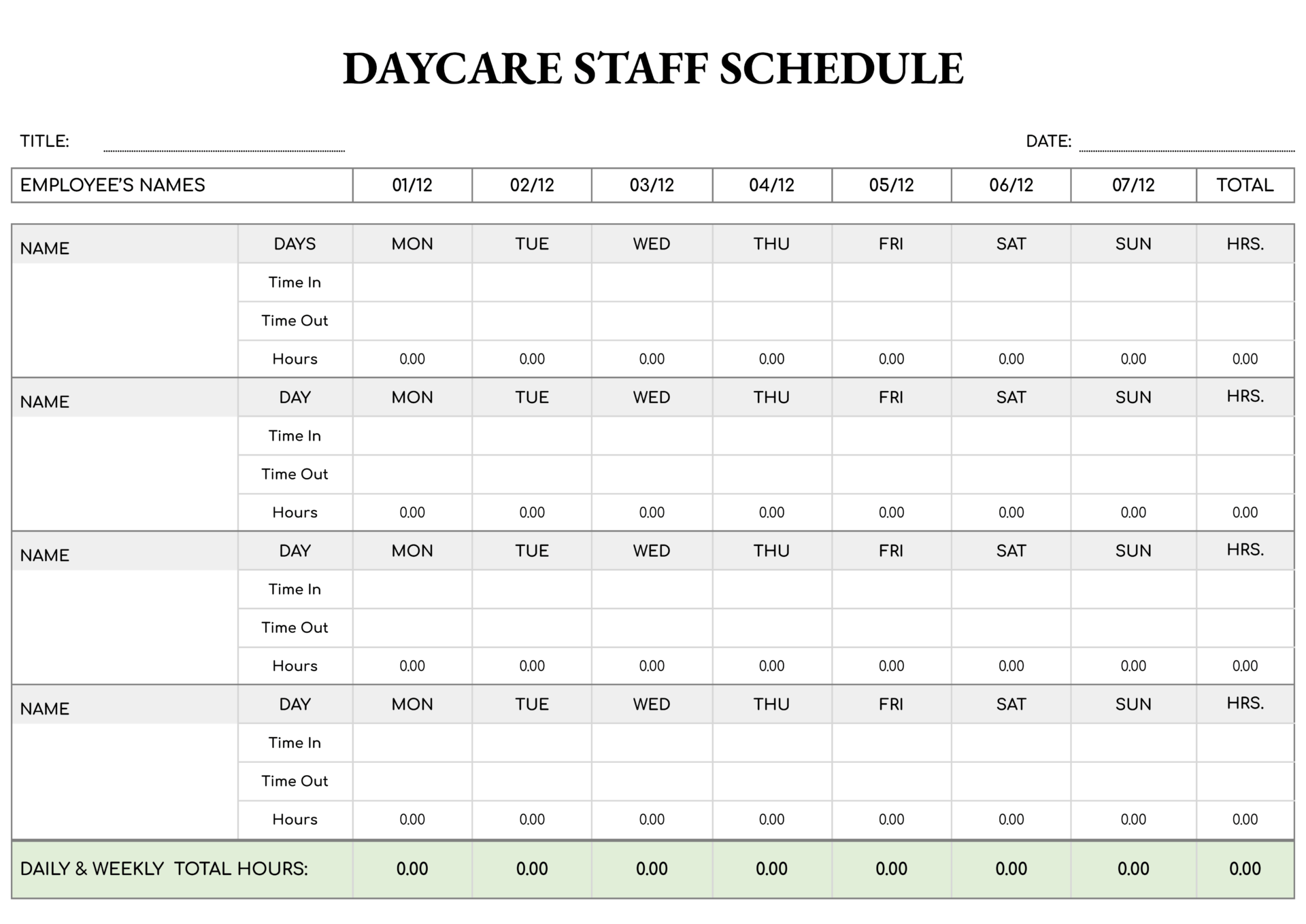






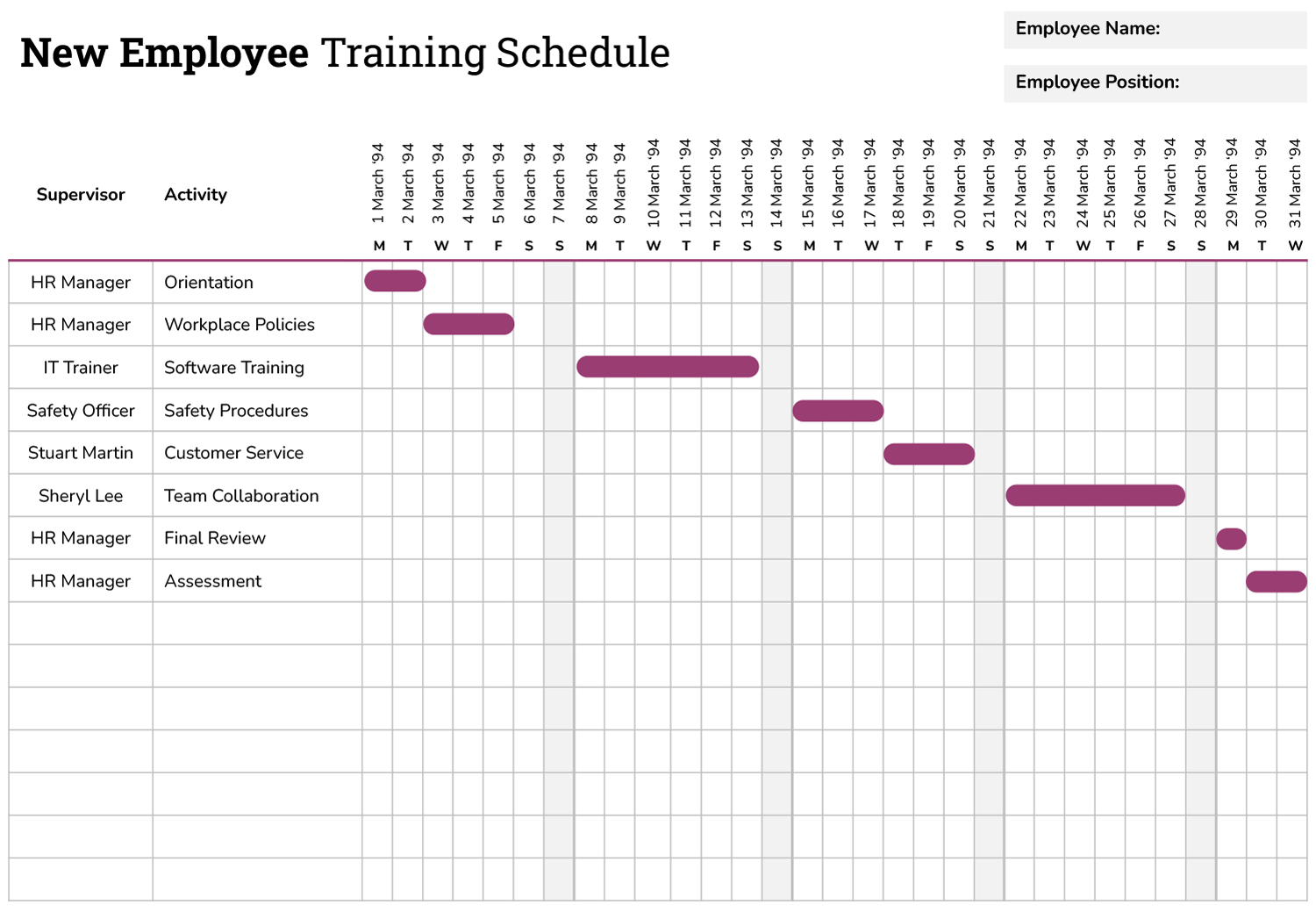


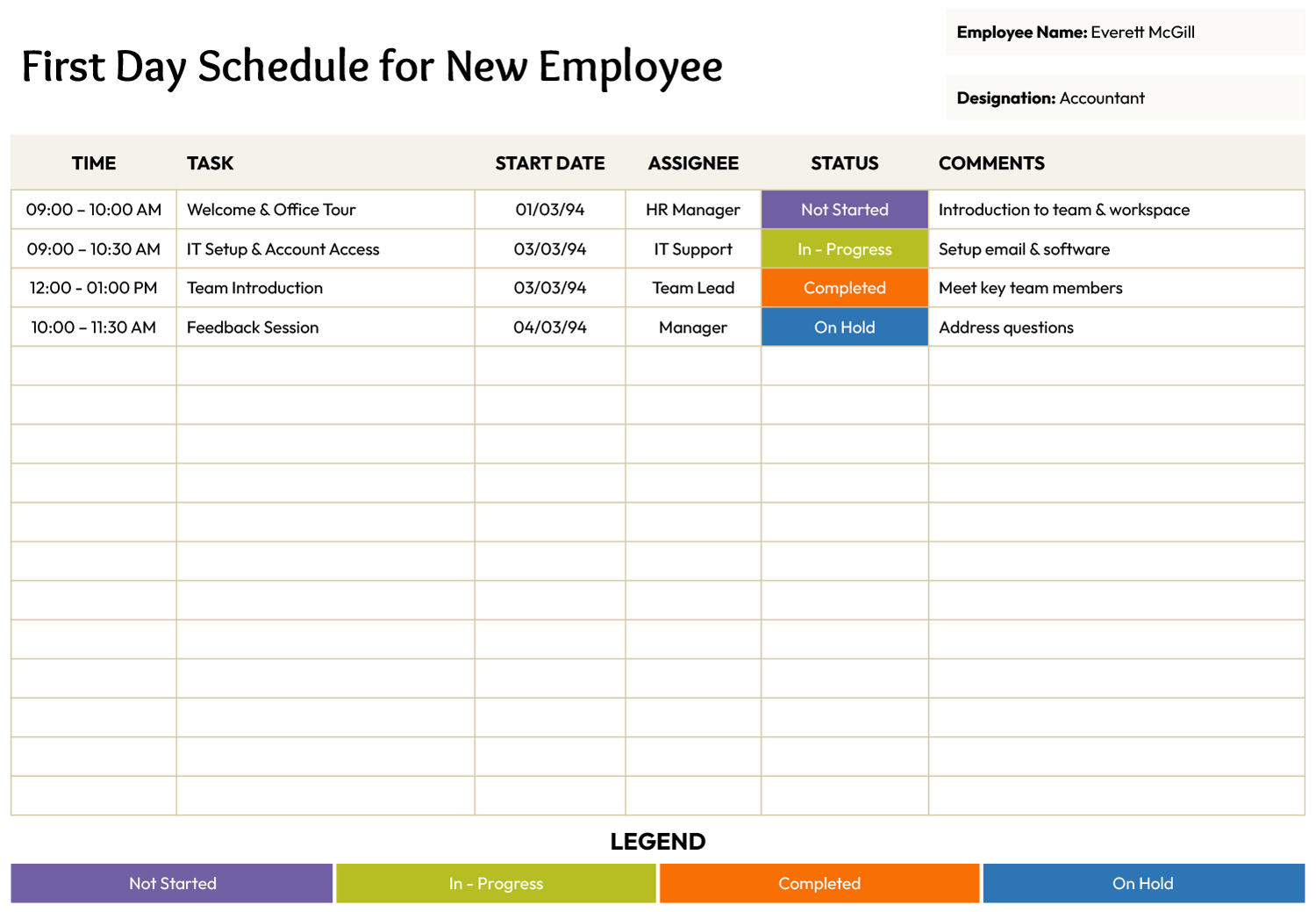


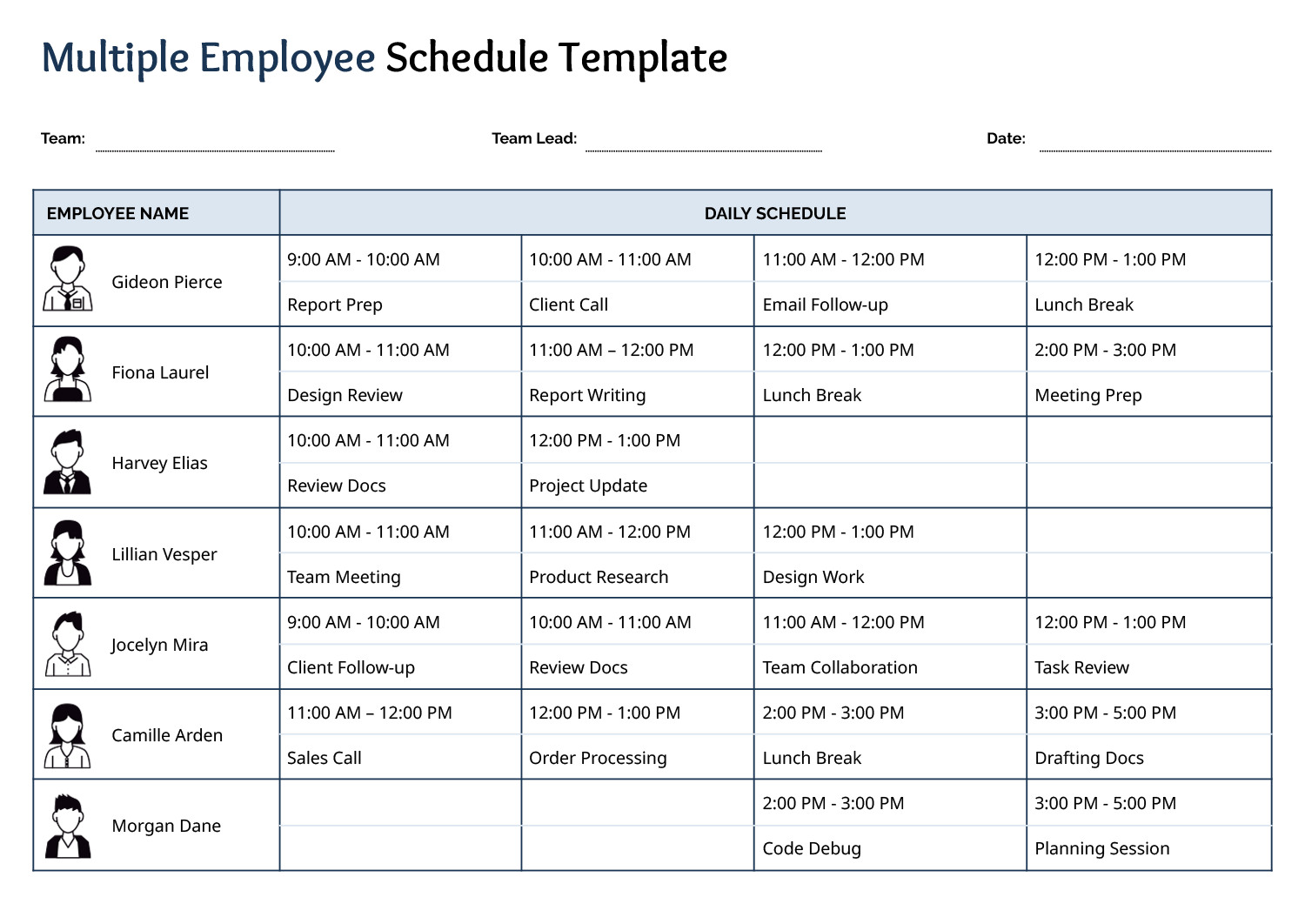


These employee schedule templates plot a team’s hours on one grid, names down one side and time across the other, so each person can read their own shifts straight across while a manager reads the columns down to check every part of the week is covered. Gaps and overlaps show on the grid before they become a short-staffed shift or someone booked through their day off.
Teams are run in different shapes, so the collection covers a single day in detail, ratio-based cover through the day, and a full seven-day roster. You set the week and the business in the header, list your people by row, and assign the hardest slots first, the opens, the closes, the weekend cover, before the easy daytime hours, so the unpopular shifts do not always land on the same few people. A read down each day and across each row catches gaps and overload before the schedule goes up.
One habit that pays off: The fastest way to a fair schedule is to fill the hardest slots first, the early opens, the late closes, the weekend cover, before the easy daytime hours. Slot the desirable shifts first and the same people quietly end up stuck with the unpopular ones.
Reading an employee schedule
The parts that turn a blank grid into a staffing plan you can read.
One line per person, so each reads their own hours straight across while the column beneath a day shows the rest of the team on with them.
The hours or days the schedule covers, set as a single day in detail or a full week at a glance, depending on how the team is run.
The start and end times in each slot, the working detail that says exactly when a person is on rather than just that they work that day.
A mark of each person's job, useful when coverage means having the right role present, not only enough people.
The business, department, and week the grid belongs to, so a posted or shared copy is clear about which period it covers.
A tally of each person's scheduled hours for the week, so you can check a total against their availability before the roster goes up.
Building the staff schedule
From a blank roster to a week you can post for the team.
A daily grid suits a single shift's detail, an hourly one suits ratio-based cover, and a seven-day roster suits a full week. Use the one that matches the span you staff at once, and fill the week and the business or department into the header so the posted copy is unambiguous.
Put each staff member in a row, and mark their role if coverage depends on it, so you are reading the team by name as you assign hours.
Fill the opens, closes, and weekend slots before the easy daytime hours. Working from the difficult shifts outward keeps the unpopular ones from always landing on the same people.
Tip — Check each person's total against their availability before posting, so no one is scheduled through a day off or pushed past their agreed hours.
Read down each day for gaps and across each row for overload, then publish where staff will see it. A roster posted early gives people time to plan and to flag a problem.
FAQs
How do I know which staffing view to use?
Match it to the span you staff at once. A daily or hourly grid suits a single shift or ratio-based cover like a daycare; a seven-day roster suits a team you plan a week ahead. The collection includes both, so you can pick by how your floor is actually run.
How do I keep shift distribution fair?
Assign the hard slots first, the early opens, late closes, and weekends, then fill the easy hours around them. Filling the desirable shifts first is what quietly leaves the same staff on the unpopular ones week after week.
How do I avoid scheduling someone through their time off?
Mark each person’s availability before you assign, and read their row total against it once the grid is full. A quick check across the row catches anyone booked on a day off or pushed past their agreed hours before the schedule goes up.