
Project Management Templates
Running a project means keeping a lot of moving parts in view at once, the tasks, who owns them, when they are due, what they cost, and what is slipping. These project management templates each take one of those parts and give it a clear place to live, so the work is filling in your project rather than building a tracker from a blank page. Pick the template for what you need to keep on top of and start there.




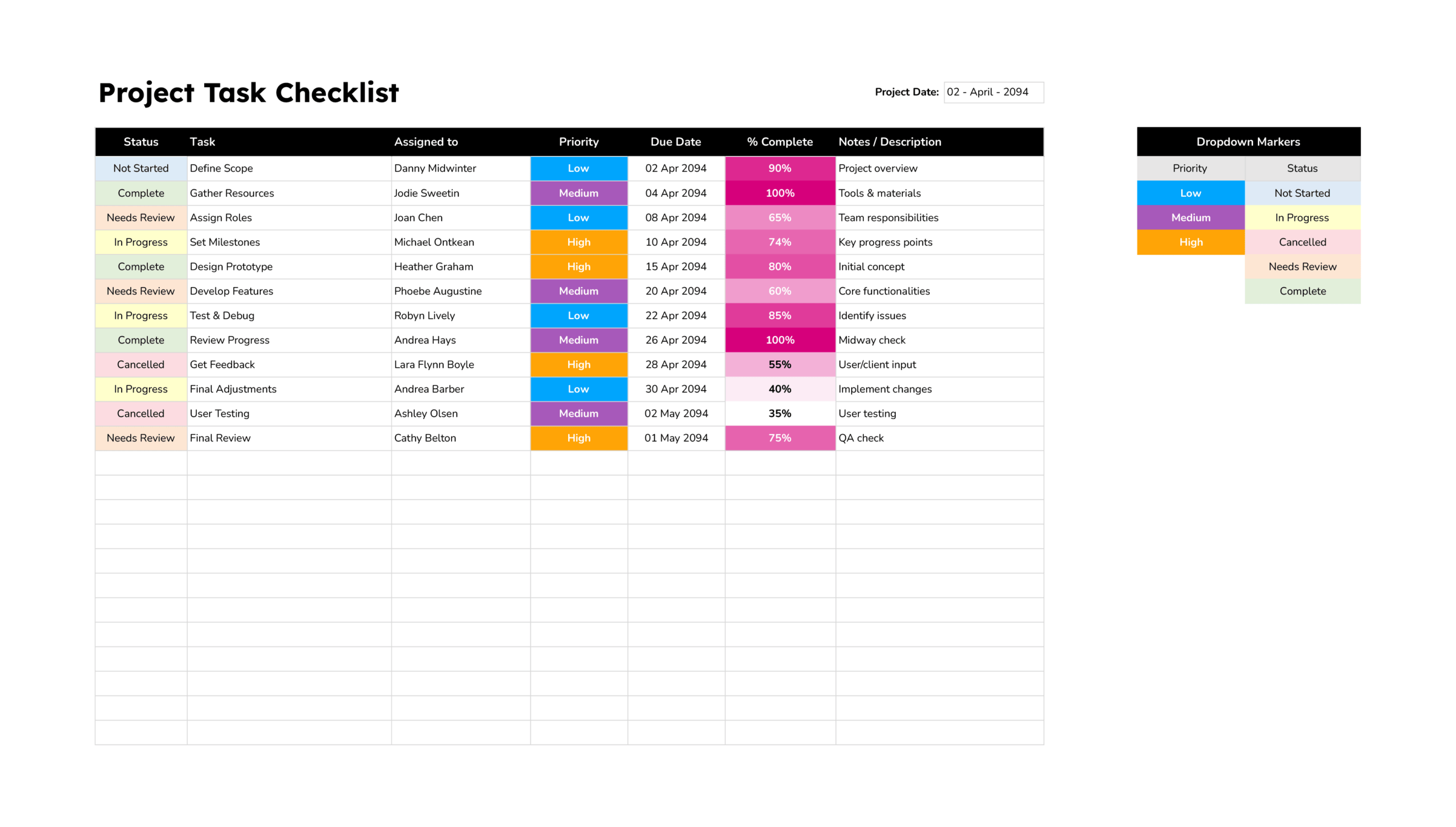
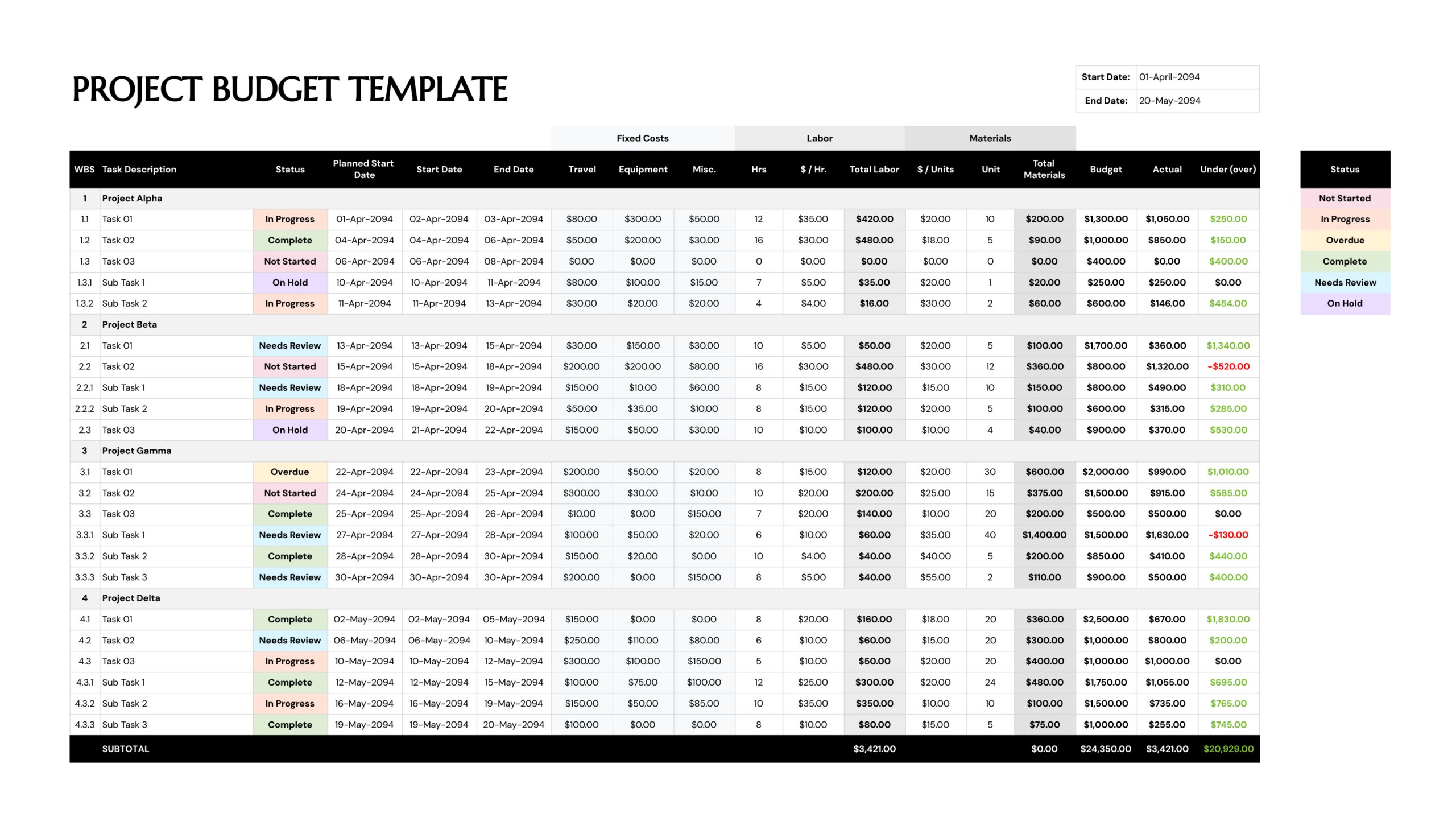


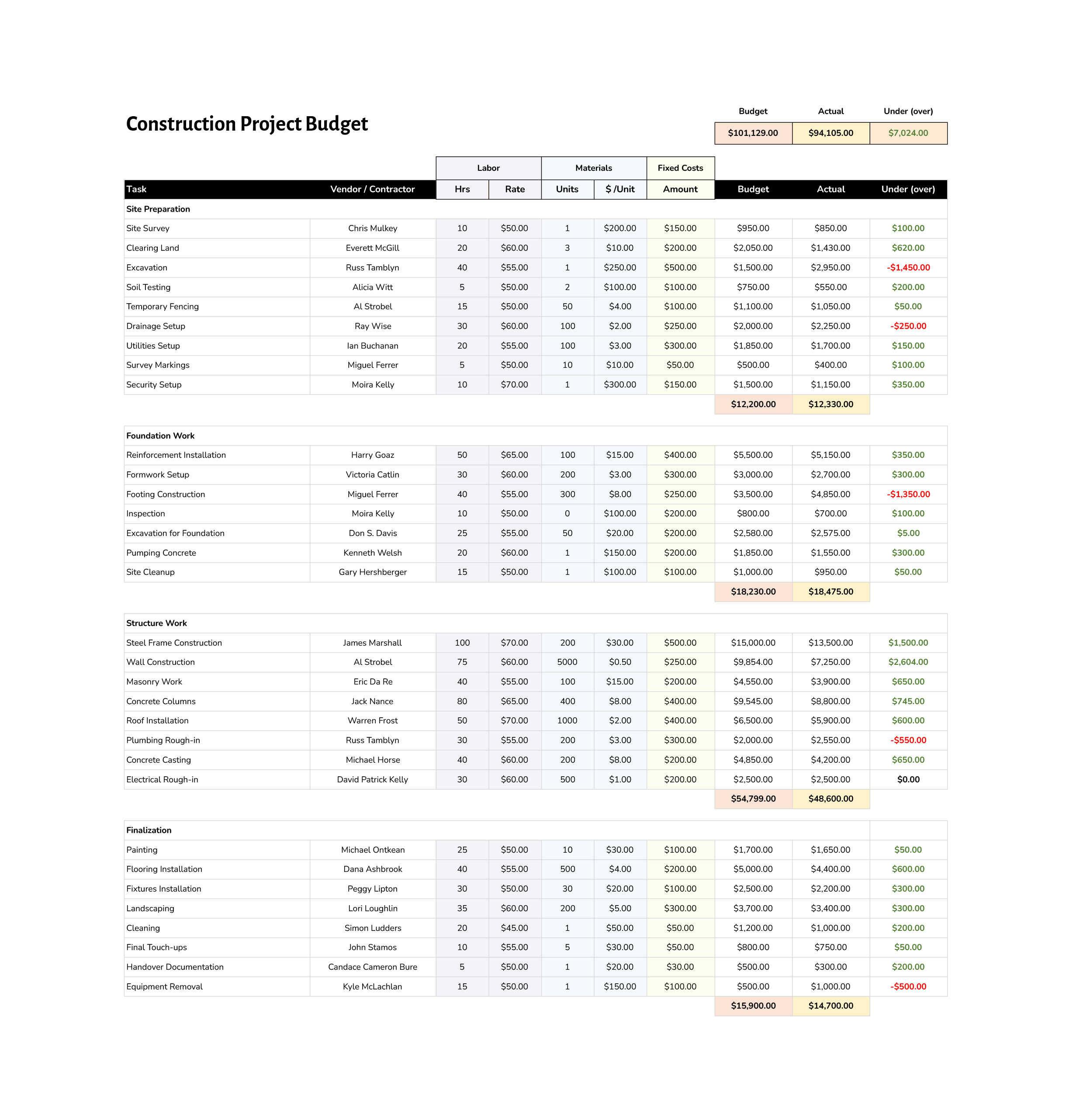


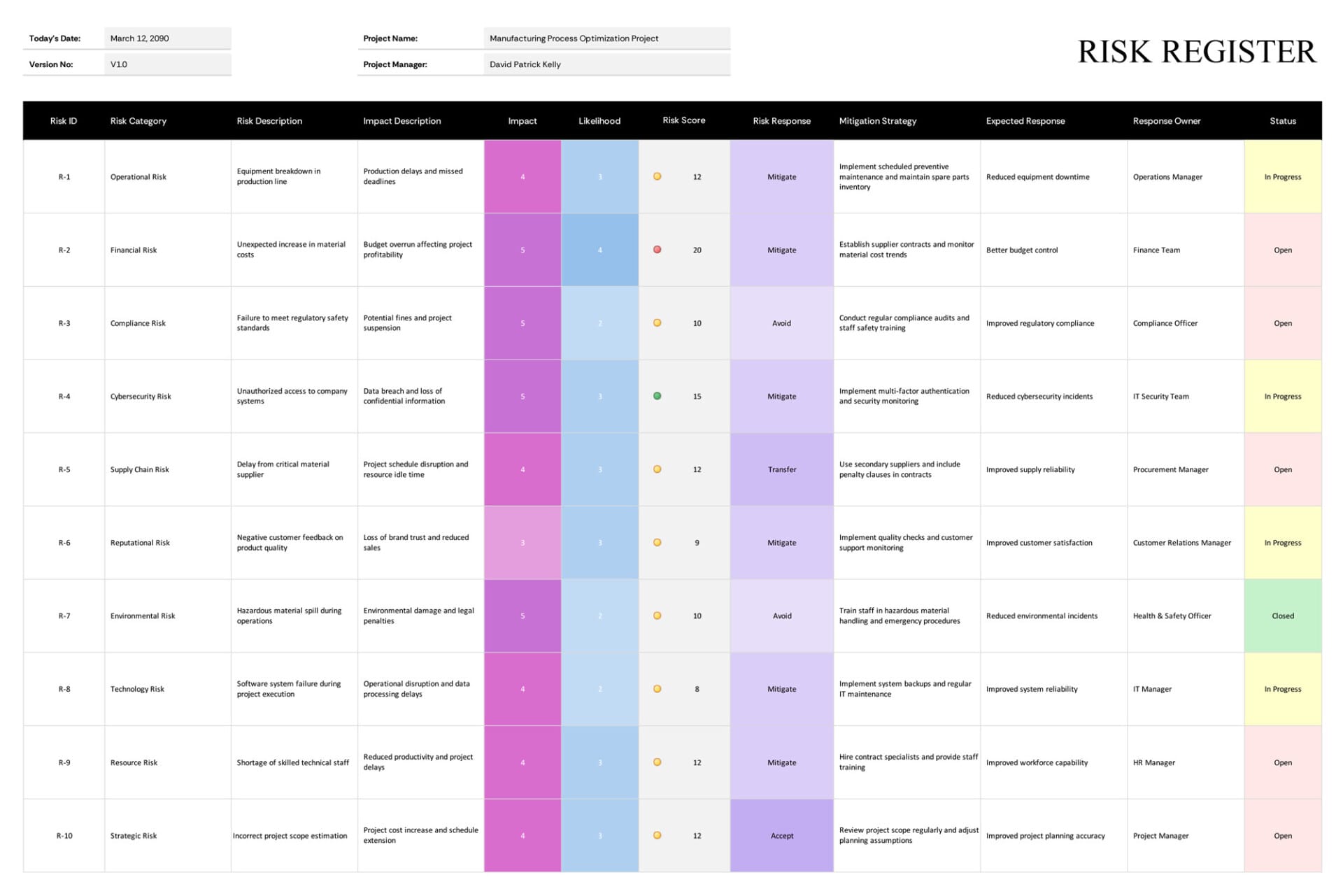





Project management comes down to keeping track of what needs doing, who is doing it, when it is due, and what it costs, across enough tasks and people that holding it in your head stops working. A template gives each of those a fixed structure, a task list, a schedule, a budget, a tracker, so the information stays in one place and stays current as the project moves.
The templates in this collection cover the different parts of that job rather than one of them doing all of it. Some lay out tasks and who owns them, some plot work against a timeline, some track spending against a plan, and some help work out why something went off course. You pick the one that matches what you are managing right now and enter your own project, and because the structure is already there, you spend your time on the project instead of on formatting a way to record it.
Note: No single template runs a whole project, and that is by design. A schedule, a budget, and a task tracker each answer a different question, so most projects use a few of these side by side rather than looking for one sheet to hold everything.
What these templates help you manage
The parts of running a project these templates each give a place to.
A list of what needs doing with a person against each item, so responsibility is clear and no task is left unassigned.
Work plotted against dates, so you can see what runs when, what overlaps, and where a delay would push everything else.
Planned costs set against actual spending, totaled by phase, so the money side stays visible alongside the work.
A current status against each task, so a glance shows what is done, what is underway, and what has stalled.
The bigger markers a project moves through, so progress reads at the level of stages rather than individual tasks.
Follow-ups and decisions that come out of meetings, captured with an owner and a due date so they do not get lost.
A structured way to trace a problem like a budget overrun back to its contributing causes, rather than guessing at the reason.
Readable overviews pulled from the detail, for updating people who need the picture without the row-by-row record.
The parts of a project do not move independently, a task that slips pushes a date, and a date that slips often pushes a cost. Keeping the task list, the schedule, and the budget each current is how those knock-on effects surface early, with time still left to act on them.
Working with a project management template
Choosing the right template, fitting it to your project, and keeping it current.
Begin with the part of the project you need to stay on top of, tasks, the schedule, the budget, follow-ups, and choose the template built for it. Trying to make one template do everything is usually what pushes it out of use.
Replace the example content with your own phases, tasks, owners, and dates, so the structure reflects how your work is actually broken down.
Put a name and a due date against each item. A tracker without owners turns into a list nobody acts on, so this is the part that earns its keep.
Enter the specifics each template asks for, hours and costs in a budget, start and end dates in a schedule, status against each task in a tracker.
Mark tasks done, move dates that shift, and enter actual costs as they land, so the template shows where the project really is rather than where it started.
Tip — A short, regular update beats a big catch-up, a tracker is trusted only as long as it stays current.
Use the summary parts to update your team or stakeholders, giving them the state of things without walking through every row. Each template lists the formats shown on its card.
FAQs
Which project management template should I use?
Begin with what you most need to keep track of. For who is doing what, a task list or action tracker; for timing, a schedule or Gantt chart; for cost, a project budget; for working out why something slipped, a cause-analysis diagram. Most projects end up using several of these together rather than one.
Do these work for any size of project?
Yes. The same structures hold for a small piece of work run solo and for a larger team effort alike, you simply use as many rows, phases, and tasks as your project needs. Larger projects tend to use more of the templates together.
Are these spreadsheets, or slides and documents?
It depends on the template. Trackers, schedules, and budgets are mostly spreadsheets, since they rely on rows and calculations, and planning and summary layouts also come as slide formats for presenting. Each template’s card shows its formats.
Can I change the phases, columns, and labels?
Yes. The phases, task rows, columns, and labels are all editable, so you can shape a template to match how your project is organized and the terms your team uses. The structure is a starting point meant to be adjusted to your work.